Photographer Email Templates: What Emails Should Photographers Send Clients?
Email is one of the main ways photographers communicate with clients and prospective clients.
A potential client may first find you through Google, Instagram, a referral, or a venue recommendation (or somewhere else), but once they are serious enough to reach out, the conversation usually moves into email pretty quickly. Typically, they submit your contact form. You respond. They ask questions. You send pricing. You follow up. They schedule a call. They book…
Then the client experience continues through more emails: welcome emails, planning emails, questionnaires, timeline emails, gallery delivery emails, review requests, and future marketing emails.
That is a lot of communication.
And if you are writing every email from scratch, it becomes very easy for the process to feel inconsistent, rushed, or scattered. This is why photographer email templates are so valuable. They do not replace real communication. They give you a stronger starting point, so you can respond faster, stay organized, and create a more consistent client experience without reinventing the wheel every time.
In my own photography business, email templates are one of the main systems that help me manage leads, book clients, guide wedding planning, deliver galleries, request reviews, and keep in touch with past clients. Over time, I have found that the point is not to make every message sound perfectly polished. The point is to make sure the right communication happens at the right time, in a way that helps the client feel cared for and clear on what comes next.
This guide will walk through the main emails photographers should send clients, when to send them, and how to use templates without making your business feel robotic.
The Short Answer: What Emails Should Photographers Send Clients?
Photographers should send emails that support the full client journey, from first inquiry through final gallery delivery and future follow-up.
The most important photographer email templates include:
- Automated inquiry response
- Personalized inquiry response
- Unavailable or referral response
- Inquiry follow-up emails
- Consult scheduling confirmation
- Post-consult follow-up
- Booking proposal email
- Proposal follow-up email
- Booking confirmation email
- Welcome email or welcome sequence
- Long-term planning check-ins
- Questionnaire email
- Questionnaire reminder
- Timeline or planning email
- Session planning email
- Weather check-in email
- Session confirmation email
- Sneak peek delivery email
- Full gallery delivery email
- Review request email
- Print, album, or wall art email
- Past-client follow-up email
- Anniversary or lifecycle email
- Newsletter or email marketing campaign
That’s quite the list, right?!
Keep in mind, if you are a beginner photographer (maybe just getting started in business), you do not need all of these on day one. If you’re newer, trying to build every single email at once can quickly become another thing that keeps you from actually moving forward.
Instead, I’d challenge you to start with the emails that support the most important parts of your business first: responding to inquiries, following up, confirming bookings, preparing clients, delivering galleries, and requesting reviews.
From there, you can build a more complete photography email workflow over time.
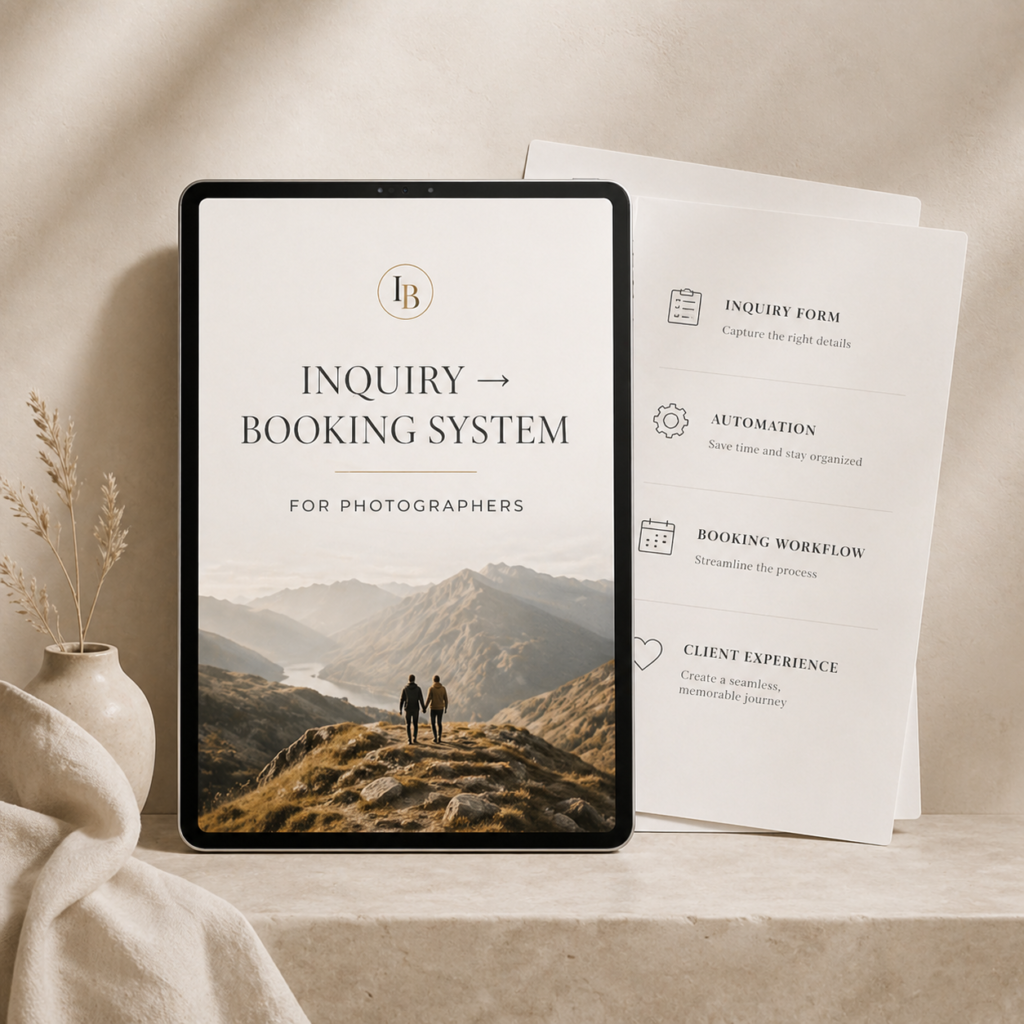
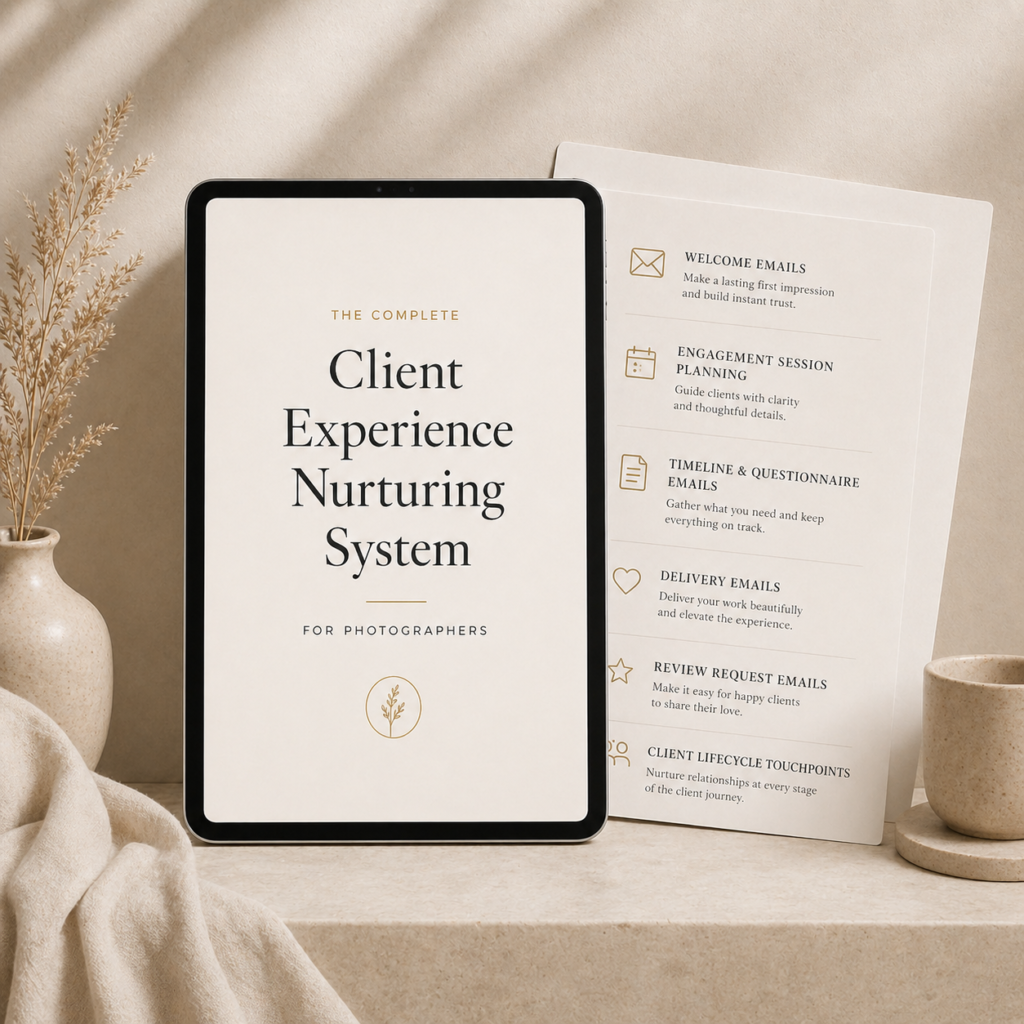
If you want help having a full system at the ready with you only need to adjust to fit your processes, you can check out our Inquiry to Booking System and Client Experience Nurturing System – which both include a wide variety of email templates, text message templates, and accompanying educational resources (including walkthrough videos) that show you how to use these in your photo business.
Why Email Matters for Photographers
Email gives photographers a reliable place to communicate clearly.
Social media DMs can be useful, but they are easy to lose. Text messages are great for quick reminders (and I use ’em), but they are not ideal for detailed information. Phone calls can be helpful in a lot of context, but they do not always leave a clean written record..
Email sits in the middle…
It lets you send more information, link to resources, confirm decisions, provide next steps, and keep a documented communication trail. It’s a little of my corporate job bleeding into my photography career when I say this, but the value of an “audit trail” to cover your butt is huge.
For photographers specifically, that matters because clients often need guidance. They may not know exactly what happens after they inquire, what is included in a package, how to schedule an engagement session, when to fill out a questionnaire, how to prepare for a portrait session, or how to access their gallery. Sometimes things like these, even seemingly simple, we can take for granted when in reality many of our clients are first-timers to hiring a photographer…so along with that comes not only excitement, but nervousness!
A good email can answer the question before the client has to ask (this is huge!).
That creates a better experience, but it also saves you time. If you are answering the same question over and over, that is usually a sign that the information either needs to be added to your website, added to your pricing guide, or built into a client email template.
Good Client Emails Reassure, Not Just Inform
A strong client email does not only tell someone what time to arrive or what link to click.
It can also quietly reduce anxiety.
This is one of the bigger things photographers sometimes overlook with client communication. Clients are not always only looking for information. They are also wondering things like:
- Will I look awkward?
- Will my kids cooperate?
- Is this worth the money?
- What if the weather is bad?
- What if I do not know how to pose?
- Am I planning the events of my wedding well so I can have good pics?
- Will the photographer actually help me through this?
Some clients will ask those questions directly. Many will not…
This is why having a process built around your communication is so valuable. If you can predict how your clients may be feeling, what they may be thinking about, and where they may feel uncertain, you can get in front of those questions before they have to reach out.
Or before they never reach out at all…
For example, a session prep email can reassure a family client that they do not need perfectly behaved kids for the session to go well. A wedding timeline email can reassure a couple that the day does not need to be fully planned before you can help them think through photo timing. A weather check-in can reassure a nervous client that you are already watching the forecast and will guide them if anything needs to change.
That kind of communication makes a big impression!
It shows clients you are not just waiting for them to ask the right questions. You are guiding them through the process.
Over time, that kind of client experience can also support referrals (if you need more of an incentive). People refer photographers they trust, not just photographers who take good photos. And trust is often built in the quiet moments where a client feels like, “They already thought of this for me.”
The Limitations of Email
Email is valuable, but it is not perfect…
Some emails land in spam. Some get buried. Some clients open your first message and forget to respond. Some people are simply overwhelmed by their inbox, especially if they are planning a wedding and reaching out to photographers, venues, planners, florists, DJs, and other vendors all at once.
This is why email should be a core communication method, but not always the only one.
In some situations, it makes sense to support email with:
- text messages
- phone calls
- consult calls
- CRM reminders
- automated follow-ups
- calendar invites
- client portals
For example, if someone submits a wedding inquiry and you send a detailed email with pricing and next steps, a short text message can help make sure they saw it.
Something simple like:
“Hey, this is [Your Name] from [Your Photo Business]. Just sent over more info about your wedding inquiry. Wanted to make sure it made it to you.”
That kind of message is not meant to replace email. It supports it!
This matters because even your best email template will not do much if the person never sees it.
In practice, the strongest communication systems usually use email as the backbone, then use text, calls, reminders, or CRM automation to support the moments where timing and visibility matter most.
How to Write Better Client Emails in 6 Steps
Not every email needs to be long…
Some of the best client emails are short, clear, and easy to act on. But most photographer emails should still have a few basic pieces: a clear purpose, useful information, a next step, and enough warmth that the message feels like it came from a real person.
Let’s explore how to write better clients emails now!
Step 1: Start With a Clear Purpose
Every email should have a clear job.
Maybe the purpose is to answer a question. Maybe it is to send pricing. Maybe it is to confirm a session. Maybe it is to ask them to fill out a questionnaire. Maybe it is to deliver their gallery.
Before sending any email, ask:
“What is this email supposed to do?”
If you do not know, the client probably will not know either…
This is one of the easiest ways to improve your emails. When the purpose is clear, the structure usually becomes clearer too. You know what information belongs, what can be removed, and what action the client should take next.
Step 2: Include the Right Information
The email should give the client what they need in that moment.
This could include:
- a link
- pricing information
- a scheduling button
- preparation instructions
- a questionnaire
- a gallery link
- a reminder
- a resource
- a clear explanation of what happens next
The key is relevance.
Do not overload every email with every possible detail. I have found it is usually better to send the right information at the right time than to send one massive email that tries to explain everything at once. Clients are more likely to read, understand, and act on a focused email.
Step 3: Give One Clear Next Step
Most emails should tell the client what to do next. This is known as a “call to action” (or CTA for short).
That might be things like:
- schedule a consult
- review the proposal
- sign the contract
- pay the retainer
- fill out the questionnaire
- confirm the session details
- download the gallery
- leave a review
- reply with a question
Sometimes the CTA is soft (like “reach out to me via email if you have any questions”). Sometimes it is direct (“schedule a call now to get started”). But, ultimately, it should be clear.
This is especially important in inquiry and booking emails. If someone is interested in hiring you and your email ends vaguely, they may not know what to do next. A clear next step makes it easier for them to keep moving.
Step 4: Start With the Facts, Then Add Warmth
One practical way to write better photographer emails is to start with the facts, then add warmth.
This is especially helpful when you are busy and need to respond quickly.
If I need to answer a client quickly, I usually start by making sure the practical information is there first: date, time, link, next step, deadline, answer, or decision. Then I reread it and ask, “Does this sound like a real person?”
That second pass is where you add warmth without losing clarity.
For example, a very functional email might say:
“I’m available on June 10 or June 11. Let me know which date works best.”
That gets the point across, but it can feel a little flat…
A warmer version might say:
“What a sweet idea for your family. I’d be happy to help with this. I’m currently available on June 10 or June 11, so let me know which date works best and I can send over the next steps.”
The facts are still there. The email is still clear. But now it sounds a little more like a human being wrote it…
Keep in mind, not every email needs a ton of personalization. A payment reminder, invoice email, or questionnaire reminder may be more functional. But across your full set of photography client communication, there should be enough warmth and specificity that clients do not feel like they are just being moved through a machine.
Step 5: Use a Simple Template Structure
A good photographer email template does not need to be complicated.
At a basic level, most client emails can follow this structure:
- Greet the client.
- Acknowledge the reason for the email.
- Provide the useful information they need.
- Give them one clear next step.
- Close warmly and professionally.
This can literally apply to almost any email you send – a follow up with a new lead, a portrait session scheduling email, etc.
A simple email framework/skeleton might look like this:
Hi [Name],
Thanks so much for [reaching out / booking / sending this over / filling out the questionnaire].
I wanted to [confirm / send / share / check in about] [main purpose of the email].
[Include the useful information, link, guidance, or explanation.]
The next step is to [clear CTA].
Let me know if you have any questions.
[Sign-off]
This is intentionally simple.
The goal is not to give you a script that works for every possible scenario. The goal is to show the underlying shape of a useful client email. Once you understand the structure, you can adapt it for inquiry responses, booking confirmations, questionnaire reminders, session prep emails, gallery delivery emails, and review requests.
And the more specific the situation, the more you personalize!
Step 6: Keep Emails Easy to Read
Good photography client communication is not just about what you say. It is also about how easy the email is to read.
Most clients are not sitting down with your email like it is a book. They are reading on their phone, checking between meetings, looking while planning dinner, or scanning through a crowded inbox.
So keep your emails easy to move through.
A few simple email readability guidelines:
- Use short paragraphs.
- Keep the most important information near the top.
- Use clear links or buttons when there is an action to take.
- Avoid burying the CTA at the bottom of a long email.
- Use one main CTA when possible.
- Make sure the email works well on mobile.
- Use images only when they help.
- Break up long explanations into smaller sections.
This is especially important if you are using tools like HoneyBook, Flodesk, Pic-Time, or another gallery or email marketing platform where you may have more design options.
With this in mind, it’s worth mentioning that email design can help (like how it looks), but it can also get in the way. For most client emails, clarity matters more than decoration. A beautiful email that buries the next step is less effective than a simple email that tells the client exactly what they need to know and what to do next.
While all these steps outline a solid overview for crafting stronger client facing emails for photographers in general, it’s important to understand that, on occasion, you may do something a little different depending on the specific goals you have.
Why Photographer Email Templates Are Worth Creating
The best photography businesses do not write every repeated email from scratch again and again.
They template the emails they send over and over, then personalize them as needed.
That distinction matters.
Templates do not mean every client gets a cold, generic message. A good template gives you structure. You can still sometimes customize the details, add personal notes, answer specific questions, and adjust the tone based on the situation.
In my business, templates help with pretty much every type of communication I have:
- inquiry responses
- follow-up sequences
- consult scheduling
- booking emails
- welcome emails
- planning emails
- questionnaire reminders
- engagement session planning
- timeline emails
- gallery delivery
- review requests
- past-client marketing
The biggest benefits are faster response times, fewer missed steps, more consistent communication, better client experience, easier CRM setup, and less mental load.
That last one is bigger than it sounds…
When you are running a photography business, your attention is being pulled in a lot of directions: inquiries, editing, shoots, timelines, admin, marketing, family, life…Having your core emails already written means you are not trying to rebuild your communication system every time someone reaches out or books.
When your emails are already written, you can focus more on the client and less on remembering how to explain the same thing again.
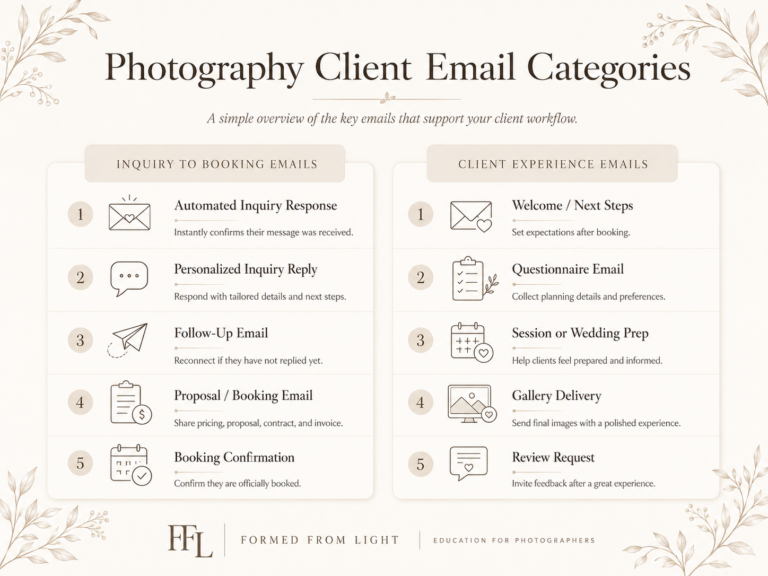
The Two Main Categories of Photographer Emails
In my own business, I think about photographer emails in two main categories:
- Inquiry to booking emails
- Client experience emails
That is the simplest way to organize the system at the highest level.
Inquiry to booking emails are for people who are not officially clients yet, but may become clients. These are the emails that help someone move from interested lead to booked client.
Client experience emails are for people who have already booked and need communication, guidance, planning, delivery, and future follow-up.
There can be some overlap, especially with email marketing (like sending a monthly newsletter to everyone), but this framework keeps things easier to manage. Instead of thinking, “I need a bunch of email templates,” you can think, “I need emails that help people book, and emails that help clients feel taken care of after they book.”
That is a much clearer place to start!
A Simple Email Timeline for Photographers
The best email workflow for photographers depends on the type of work you do.
A wedding photographer usually needs more communication than a portrait photographer because weddings are (typically) more complex. There are more people involved, more planning decisions, more timeline considerations, more vendor coordination, and more emotional weight attached to the day.
Portrait work tends to have more streamlined communication needs because the project is usually simpler. That does not mean the client experience should be less thoughtful. It just means the email workflow and systems in place may not need as many steps.
Your specific workflow will vary depending on your goals, your client experience, your end product, and how much guidance your clients need. But these sample timelines can help you think through the difference.
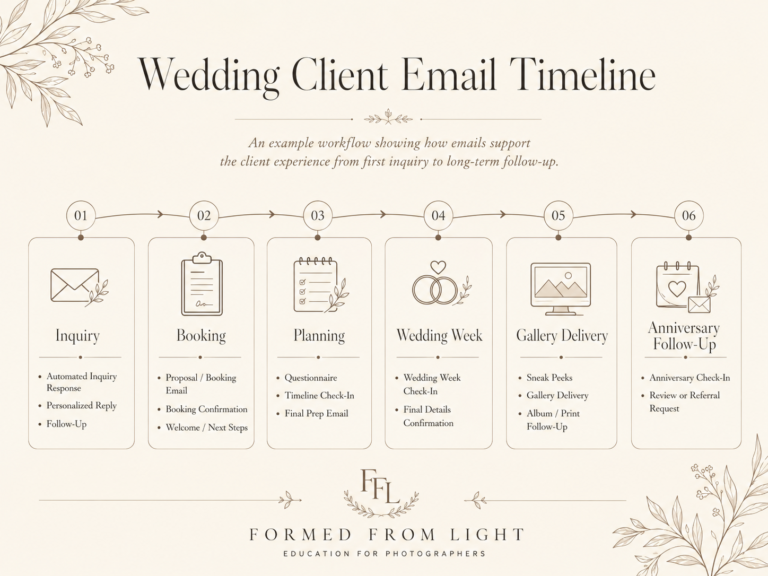
Sample Email Timeline for Wedding Photographers
A wedding photography email workflow might include:
- Automated inquiry response
- Personalized inquiry response
- Inquiry follow-up sequence
- Consult scheduling email
- Consult confirmation email
- Post-consult follow-up
- Booking proposal email
- Proposal follow-up email
- Booking confirmation email
- Welcome email or welcome sequence
- Engagement session planning email
- Long-term check-ins, if booked far in advance
- Wedding questionnaire email
- Questionnaire reminder
- Timeline planning email
- Final wedding week email
- Sneak peek delivery email
- Full gallery delivery email
- Review request email
- Album, print, or wall art email
- Anniversary or lifecycle email
This may look like a lot, but it does not all happen at once.
A wedding client might book 12 to 18 months in advance (this is common for my business), so these emails are spread across a long period of time. There’s also emails that can be sent out after you finish their project, too. The goal here is not to overwhelm them, but rather to show up at the moments where guidance actually helps.
Sample Email Timeline for Portrait and Session Photographers
A portrait or session photography email workflow might be similar, but simpler:
- Automated inquiry response
- Personalized inquiry response
- Inquiry follow-up email
- Booking confirmation email
- Session planning or prep email
- Weather check-in, if outdoors
- Session confirmation email
- Sneak peek delivery email, if offered
- Full gallery delivery email
- Review request email
- Print or product email
- Future session or seasonal follow-up email
For many portrait sessions, this is enough…
The client needs to know what they booked, how to prepare, where to go, what to expect, how to access the final images, and how to work with you again in the future.
The key is matching the amount of communication to the complexity of the service.
A Look at Inquiry to Booking Emails for Photographers
Inquiry to booking emails are the emails that help move someone from interested lead to officially booked client.
This is one of the most important email categories in a photography business because these emails directly affect sales.
Someone has already expressed interest. They filled out your contact form. They sent the message. Now, they may be considering working with you in a serious way.
Now your communication needs to help them feel confident enough to take the next step!
Automated Inquiry Response
An automated inquiry response is an email that goes out shortly after someone submits your contact form…automatically.
This email is useful because it gives the lead an immediate touchpoint, even if you are busy, at a wedding, with your family, asleep, or away from your computer.
A good automated inquiry response should thank them for reaching out, confirm that their inquiry was received, set expectations for when you will respond personally, and give them something helpful to do next.
This email does not need to do everything.
In my business, I think of the automated inquiry response as the first layer. It acknowledges the inquiry quickly and keeps the person engaged until I can send a more personalized response.
My own automated inquiry response subject line is intentionally simple and warm:
“We got your inquiry! 😍”
That type of subject line will not be right for every brand, but for us, it fits the tone of the business. It feels human, excited, and clear. The added emoji also helps it stand out in an inbox sea of emails.
Get a Free Automated Inquiry Response Email Template
Personalized Inquiry Response
Now, the personalized inquiry response is where you respond more directly to the person’s actual request.
This is where you might confirm availability, answer specific questions, share pricing or package information, link to full galleries, invite them to schedule a consult, explain the next step, and personalize the message around their date, location, session type, or needs.
This email matters a lot. I’d actually consider it to be one of the most important emails you will send as a photographer.
It is often one of the first real impressions a potential client gets of how you communicate.
For wedding, elopement and portrait photographers especially, this is where you want to be clear, helpful, and easy to work with. The person may be reaching out to multiple photographers. A fast, thoughtful, well-structured reply can make a real difference.
Unavailable or Referral Response
So here’s a photographer email template I rarely see talked about.
What do you say the inquiry you received is not a good fit?
Or if you aren’t unavailable? Sometimes the project is outside your niche. Sometimes the budget is not aligned. Sometimes you simply do not want to take the work…
You should still have a thoughtful response ready!
For weddings and elopements, where dates are fixed, this is especially useful. Before immediately sending someone away, you might confirm that the date they entered is correct. If it is correct and you are unavailable, you can still be helpful.
A good unavailable response can thank them for reaching out, clearly explain that you are unavailable, offer referrals if appropriate, invite them to reach out again for future work, and leave the interaction on a positive note.
Even if you cannot book them, you can still create a professional and generous experience.
People remember how you respond. A person you refer out today may come back for a different session later, or they may remember you as someone who was helpful even when you could not take the work.
Follow-Up Emails
Follow-up emails are one of the most overlooked photographer email templates.
A lot of photographers receive an inquiry, send one response, and stop there…
But people are busy. Emails get missed. Couples compare vendors. Someone may open your pricing guide, intend to reply, and forget. Or they may need more time, more trust, or more information before making a decision.
My general assumption is this:
If someone reached out to me, I assume they are interested unless they tell me otherwise.
That means I have to follow up!
A useful inquiry follow-up sequence might include a gentle check-in, emails with links to full galleries, testimonials or past client stories, a planning guide, answers to common questions, a reminder of what makes your approach different, and more…
The key is that follow-ups should not only say, “Just checking in.”
Some can be simple check-ins, yes. But many should add value.
For example, if you are a wedding photographer, a follow-up email could share full wedding galleries so the couple can see what your work looks like beyond Instagram highlights. Another could answer common questions about coverage, timelines, or engagement sessions.
One of my lead follow-up subject lines is:
“Questions worth asking any photographer 📸”
I like this kind of follow-up because it is not just asking, “Are you ready to book?” It gives the client something useful to think about, even if they are still comparing options.
In my business, I have had bookings come through after a full follow-up sequence had already run. Some clients are ready immediately. Others need more time and more touchpoints.
A follow-up system helps you stay present without relying on memory.
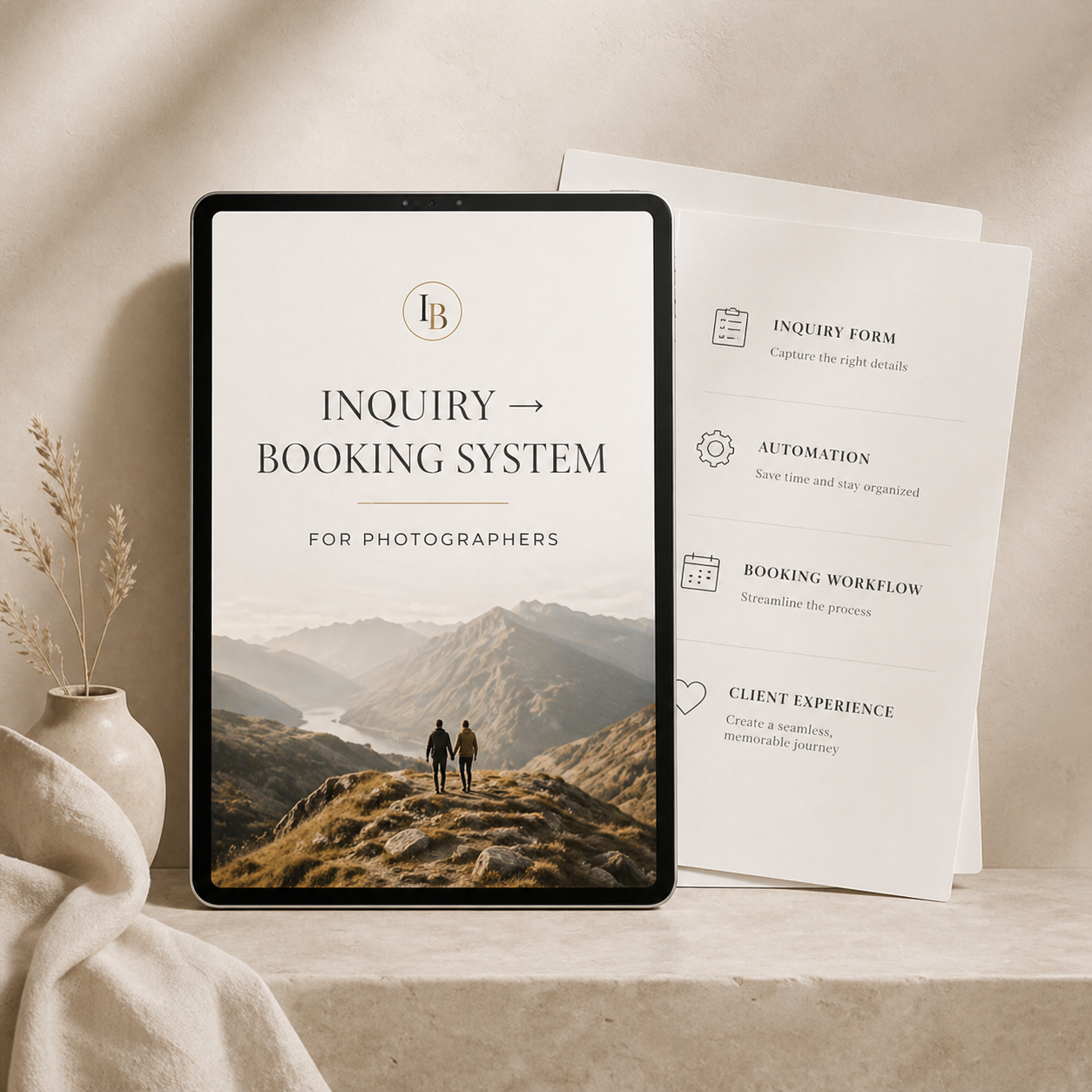
If the idea of having a great follow up system (and more) sounds good to you, I put this together (and more) in my Inquiry to Booking System for Photographers. In this product, I give you the system you need to respond better to new leads and encourage them to become booked clients. It includes email templates, text message templates, and educational resources to help you implement it into your own business!
Check out the Inquiry to Booking System for Photographers
Consult Scheduling and Confirmation Emails
If your booking process includes consult calls, you need emails around that process, too…
These emails might include a consult scheduling invitation, consult confirmation, reminder before the call, post-consult follow-up, and additional follow-up if they do not respond after the call.
The consult confirmation email should make the key details clear:
- date of the call
- time of the call
- phone number or video link
- who will call whom
- and anything they should review before the call.
Also, after the consult is over, send a follow-up quickly…
This email can be templated, but it should include space for personalization. If you said you would send something, include it. If they asked a specific question, answer it. If there was something personal from the conversation that should be acknowledged, add that in.
The structure helps you move fast. The personalization makes it feel human and like you were paying attention during the call.
Booking Proposal Email
Once someone says they want to book, speed matters.
This is one of the places where I am most intentional.
If someone tells me they want to move forward, I try to send the proposal as quickly as possible, even if it is later in the evening. Fortunately, because my process is templated and built into HoneyBook, a great CRM for photographers, it only takes a few minutes.
A booking proposal email should explain what you are sending, what they need to review, where to sign, how to pay the retainer, when the date becomes official, and what happens next after booking.
This is not the time to introduce unnecessary friction.
If someone has decided they want to work with you, make it easy for them to make it official!
Booking Confirmation Email
Finally, after someone signs and pays, send a clear confirmation email.
This email should tell them they are officially booked, their date is on your calendar, what they can expect next, when they will hear from you again, and where to go if they have questions.
This is also a natural bridge into your welcome sequence.
The goal is to reinforce confidence right after they make the decision to hire you. They just spent money, signed a contract, and trusted you with something important. A good booking confirmation helps them feel like they made the right choice.
What are the Best Client Experience Emails for Photographers?
Now, after you’ve made the sale, we shift gears to look at our Client Experience emails.
These emails help your client feel guided, cared for, and clear on what happens next.
This is where a lot of photographers can create a better experience without necessarily doing more live communication. A thoughtful email sent at the right time can answer questions, reduce anxiety, and make the process feel more polished.
These are also what I think of as “photography client experience emails.” They are not just reminders. They are the measurable touchpoints that help shape how the client feels from the moment they book through the moment they receive their final images and beyond.
Welcome Email (or Welcome Email Sequence)
A welcome email is one of the first emails your client should receive after booking with you.
For smaller sessions (or workflows in general), one welcome email may be enough.
For wedding and elopement clients, I like a more developed welcome sequence. In my business, I use a welcome week sequence that sends several emails over the course of about seven days.
The point is not to flood someone’s inbox. Rather, the point is to meet them at the moment where they are most excited and reinforce that they are in good hands!
To give you an example, a welcome sequence might include things like:
- thank you and booking confirmation
- what happens next
- communication expectations
- planning resources
- engagement session information
- wedding planning guide
- vendor recommendation guide
- album or print information
- reminder that they can reach out with questions
The specifics of what you share will depend on your workflow, deliverables, and the type of service your offering (ie: portraits vs. weddings vs. elopements).
One of my first onboarding email subject lines is:
“You’re booked! Here’s what to expect 🎉”
It is direct, positive, and easy to find later…
That last part matters more than people realize. One reason I like separating some of these emails is that it makes the information easier to search for months later. If a whole wedding planning guide is buried in one massive email, the client may never find it again (or at least it may be difficult). But if the subject line clearly says “Your Wedding Planning Guide,” it is easier for them to find when they actually need it. That is a small detail, but it matters.
Long-Term Planning Check-Ins
The reality is that some clients book far in advance, so we should be prepared to make sure some communication is happening even in long gaps.
For weddings, it is not unusual for someone to book 12, 18, or even 24 months ahead (these are common booking timeframes for me).
In earlier years of my business, I did not have many touchpoints during that long waiting period. Someone might book two years out, and then there would be a long lull before we started talking seriously about planning.
That always felt a little awkward…
Long-term check-in emails solve that!
For wedding clients, you might send simple check-ins around 18 months out, 12 months out, 6 months out, and the wedding week. You’d want to vary this up based on what’s normal within your own business, of course…
With all this said, you do not need to overcomplicate these emails (in particular). The point is to show up, remind them that you are still there, and give them an easy opportunity to mention anything that has changed.
The worst-case scenario is that they say, “We’re good, thanks for checking in.”
That is still a positive touchpoint!
Questionnaire Emails
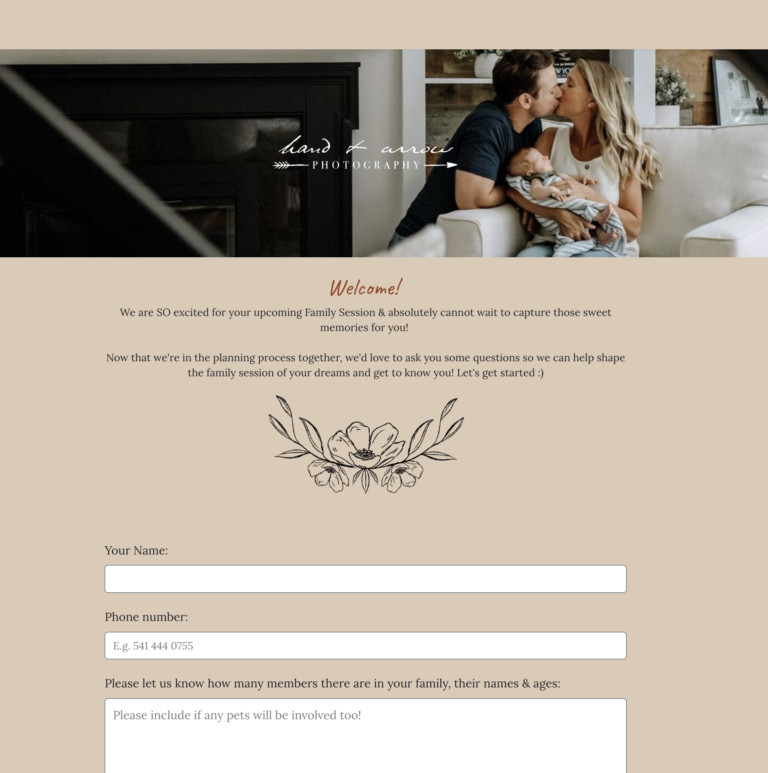
Questionnaires are one of the most useful planning tools for photographers.
There’s a variety of questionnaires you may use like:
- Onboarding questionnaire (sometimes known as a “get to know you” questionnaire)
- Main planning questionnaire for weddings, elopements, portraits even
For weddings and elopements, I typically send the main questionnaire around three months out from the clients event date. That gives enough time to gather details, create or refine the timeline, ask follow-up questions, and make sure important information is not being rushed during wedding week.
Questionnaire emails might include the initial questionnaire send, reminder if incomplete, confirmation after submission, and follow-up questions or feedback if needed.
Ultimately, and this is especially true for the initial email, the email should explain why the questionnaire matters.
Clients are more likely to complete it thoughtfully when they understand that it helps you prepare, plan the timeline, organize family photos, confirm vendor details, and avoid confusion later.
Timeline and Planning Emails
For wedding photographers, timeline emails are an essential part of the planning process.
These emails might include things like the initial timeline planning communication, draft timeline delivery, timeline revision follow-up, final confirmation, and wedding week reminders.
This is where email helps create calm!
Wedding days involve a lot of moving parts. A clear timeline process reassures clients that you are paying attention to the details and helping them move toward the day with a plan.
One of my wedding timeline prep emails uses the subject line:
“Let’s start planning your wedding day timeline”
It is not flashy, but it is clear. And for planning emails, clarity often matters more than cleverness.
If you need help building out Wedding Photo Timelines for your clients, our Wedding Timeline System for Photographers was created to help you do that with ease. Use it in addition to our Client Experience Nurturing System email templates to maximize your client experience today!
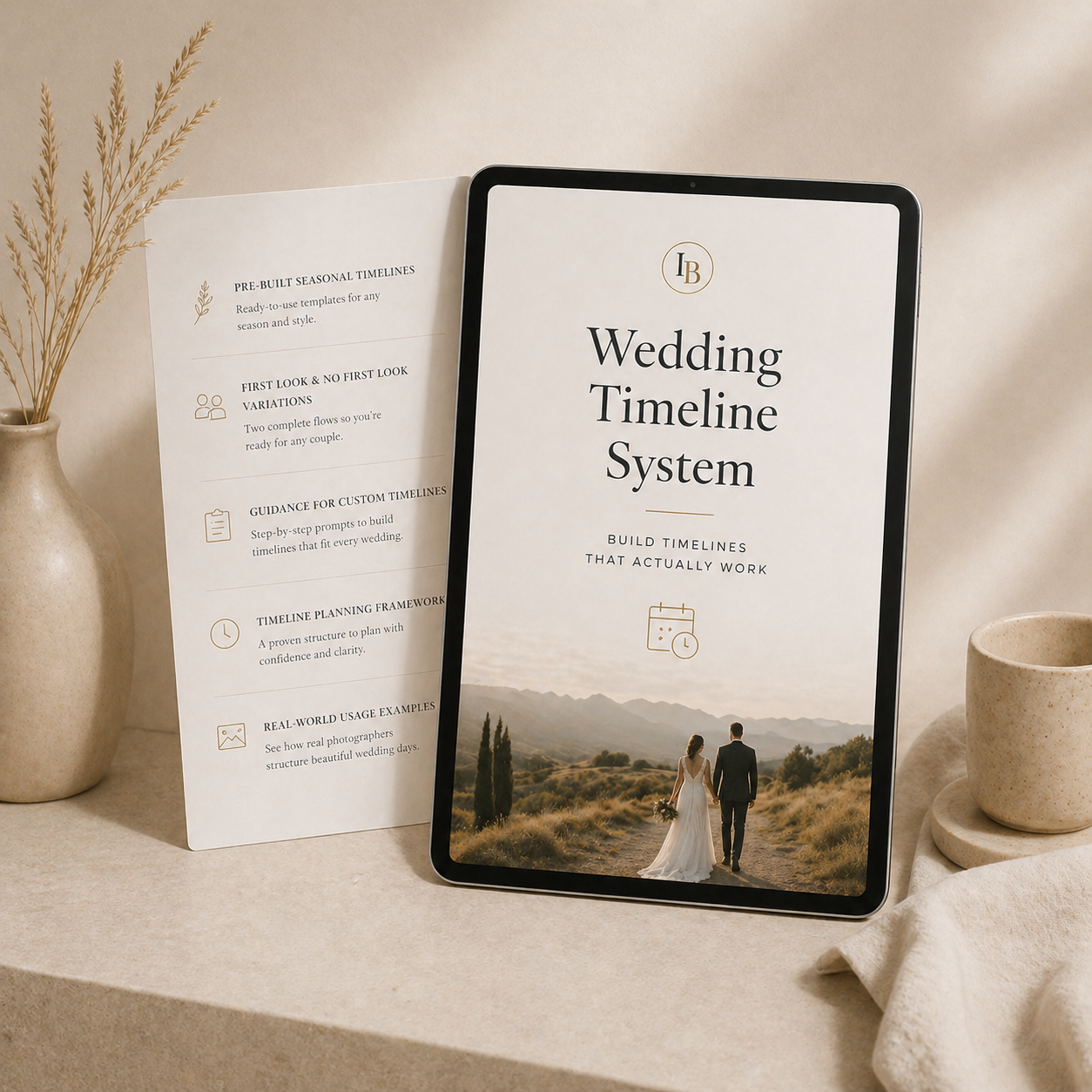
Check out the Wedding Timeline System for Photographers
Engagement Session and Portrait Planning Emails
Engagement sessions, family sessions, maternity sessions, newborn sessions, and branding sessions all benefit from planning related emails, too! This isn’t just some wedding exclusive club – every client deserves a great client experience regardless of your photography niche!
These emails might cover a range of things including session scheduling, location selection, outfit guidance, weather expectations, arrival details, timing, what to bring, and what happens after the session.
For wedding photographers, this is especially useful when an engagement session is included in the package but the couple has not scheduled it yet with you. A simple proactive email can move the process forward instead of waiting for the client to remember.
For portrait photographers, this may be one of the most important emails (or set of emails) in the whole process. A client may be nervous about what to wear, how to prepare their kids, where to park, what happens if the weather turns, or what the session will actually feel like. A good prep email can reduce a lot of that anxiety before they ever arrive.
Weather Check-In and Session Confirmation Emails
Weather is one of those details that clients often worry about, especially for outdoor sessions.
If the forecast looks questionable, a “weather check-in” (as I call it) can help reduce anxiety.
You might send one email earlier if you are watching the forecast, then a final session confirmation closer to the date.
A simple session confirmation email should include date, time, location, parking or meeting details, weather notes if relevant, what to bring, and what happens if you need to reschedule.
In my business, I often send a standard check-in around two days before a session when weather is not a major concern. If weather might be an issue, I send something earlier to let the client know I am paying attention.
That small email can make people feel taken care of.
It also prevents a lot of unnecessary back-and-forth. Instead of the client wondering, “Are we still doing this?” or “Is he watching the forecast?” they already know you are on it…
Sneak Peek Delivery Email
If you provide sneak peeks, create a template for sending them!
This email can be simple, but it should still feel warm of course.
Include a short note of excitement, the sneak peek images or gallery link, what they can expect next, and the timeline for full gallery delivery.
This is a high-emotion email. The client is excited to see the images, so do not make it overly dry.
You do not need to write a novel here. A few thoughtful sentences can be enough. The key is to match the emotional energy of the moment.
Full Gallery Delivery Email
The gallery delivery email is one of the most important emails in the entire client experience because this is the moment the client actually receives the final result.
Your photo gallery delivery email should include:
- a warm opening
- gallery link
- download instructions
- any expiration or hosting information
- print or album information if relevant
- sharing guidance
- what to do if they have questions
- next steps
In my own business, I have different variations of gallery delivery emails for weddings, elopements, engagement sessions, anniversary sessions, family sessions, maternity sessions, newborn sessions, and other session types.
They are all similar, but small changes make them feel more relevant. You’ll of course want to customize these to suit the things you actually offer.
This is a good example of how templates can standardize your process without removing personalization. A wedding gallery delivery email should not feel exactly like a newborn gallery delivery email. The core information may be similar, but the emotional context is different.
Review Request Email
Reviews matter.
They help future clients trust you before they ever speak with you. They also support local SEO, especially if you are collecting Google reviews (which I highly recommend doing!).
A review request email should make the process easy!
Include a sincere thank you, why reviews help your business, direct links to the platforms where you want reviews, simple guidance on what they could mention, and a low-pressure tone.
Do not make people hunt for where to leave the review. Give them the direct link. Common examples are Wedding Wire, The Knot, Facebook. If you want Google reviews, link directly to your Google Business page. If you use another platform, link there too!
I also think it helps to ask at the right emotional moment. If a client has just replied to say they love the gallery, that is usually a much better time to ask than three months later when the energy has faded!
Print, Album, and Product Emails
After gallery delivery, clients may not automatically know what to do with their photos.
That is where post-delivery emails can help.
These emails might explain how to download images, how to order prints, why albums matter, wall art options, how long the gallery will stay online, and how to get help choosing images.
These emails are partly educational and partly marketing.
If you sell prints, albums, or wall art, clients need to know those options exist. You are not bothering them by explaining how to make better use of the images they already invested in.
The key is to make the messages useful. A good product email does not just say, “Buy prints.” It helps the client understand what is possible with their images and why it might matter.
Seasonal product emails can also work well here. Around holidays, clients are often already thinking about gifts, prints, albums, framed pieces, or ways to share images with family. A simple, well-timed email about print or album options can stay top of mind without feeling random.
Past-Client and Lifecycle Emails
Some of the most valuable emails happen after the main project is complete. In reality, it’s easier to sell products and services to past customers than it is just selling to a new person.
For wedding clients, I like the idea of a client lifecycle campaign that keeps the relationship alive after delivery.
This might include:
- ways to use their photos
- anniversary session ideas
- maternity, newborn, or family session reminders
- one-year anniversary email
- seasonal session announcements
A one-year anniversary email can be especially thoughtful.
It is a simple way to reconnect, celebrate the client, and remind them that you are still available for future chapters in their lives.
Sometimes a couple may be entering a new season of life. Maybe they want anniversary photos. Maybe they are expecting a baby. Maybe they simply know someone else getting married.
Staying connected helps keep you top of mind!
By now, you should have a good sense of the photographer email templates that you should send around your client experience, but did you know – our Client Experience Nurturing System for Photographers was designed to give you the system (email templates and all) to make it easy to start putting all of this into practice?
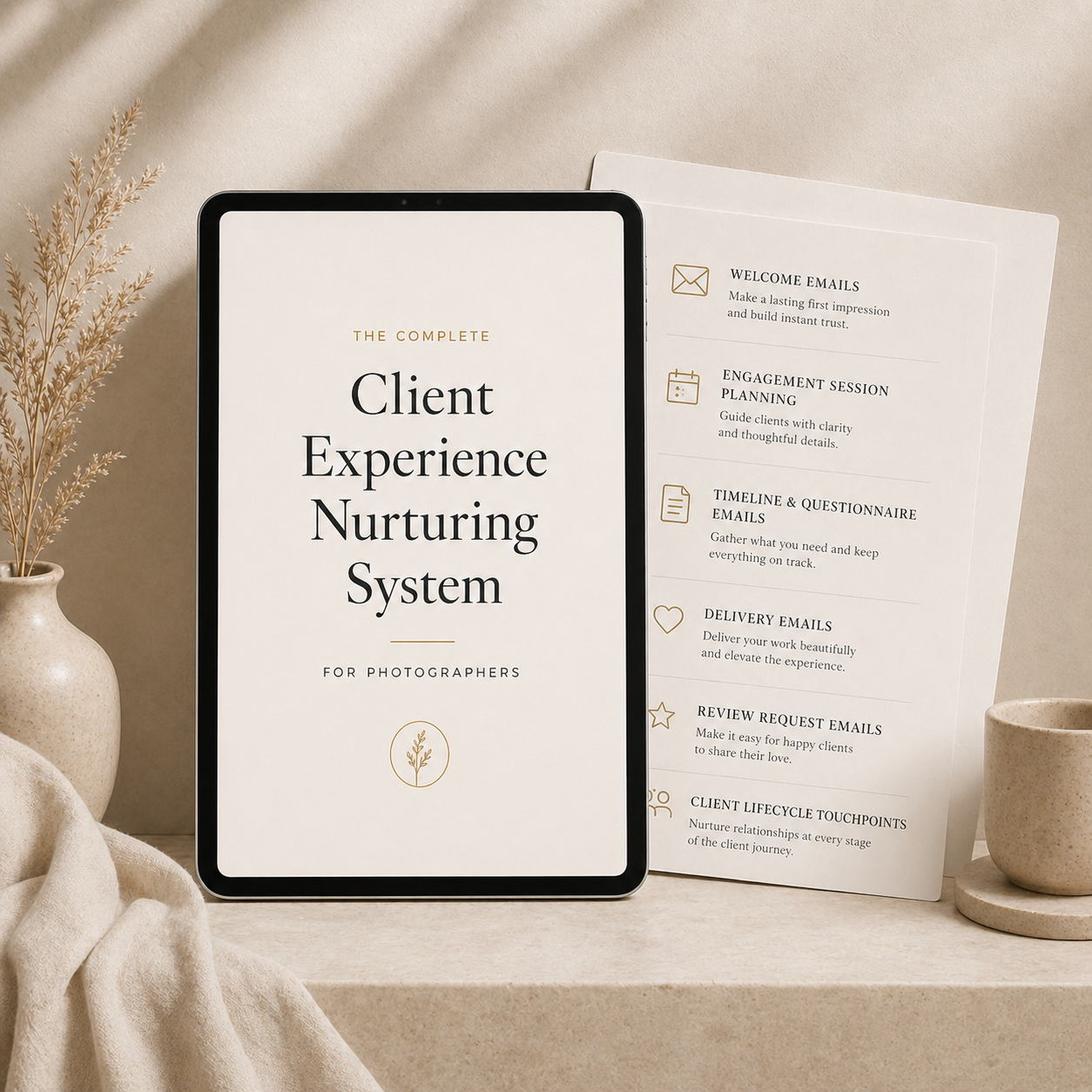
Check out the Client Experience Nurturing System for Photographers
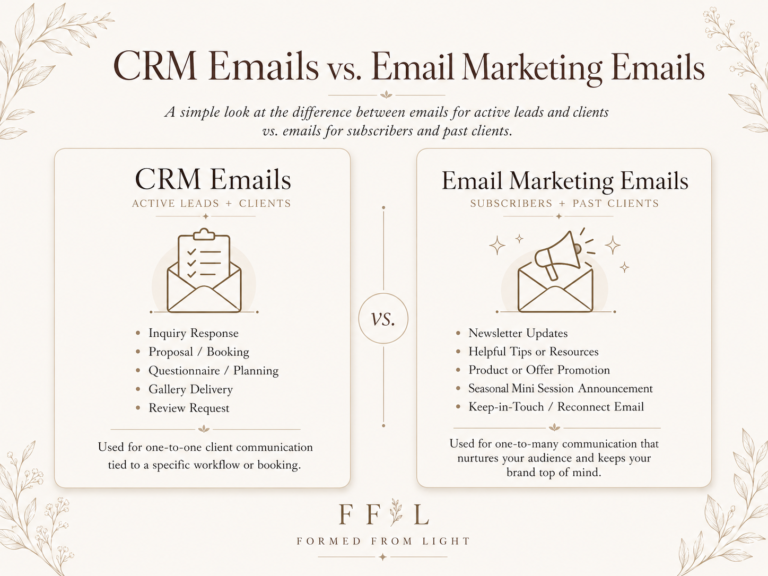
CRM Emails vs Email Marketing Emails
Now that we’ve walked through a lot of the key emails photographers should send their clients, I want to take some time to help further explore the topic of emails for photographer by separating CRM (customer relationship management) emails from email marketing emails.
They are related (and sometimes overlap a little), but they are not the same thing.
CRM emails are usually tied to a specific client, lead, project, or workflow. These are the emails you send through a client management system like HoneyBook: inquiry responses, follow-ups, proposals, contracts, invoices, questionnaires, reminders, and project-specific communication.
Email marketing emails are broader. These are newsletters, seasonal promotions, mini-session announcements, educational campaigns, print sales, and past-client nurture emails that may go to a larger list of subscribers or past clients. These are more strictly focused on marketing and sales. Recommended tools here include Flodesk (more general email marketing), as well as Pic-Time (especially to facilitate print sales through an online gallery).
A simple way to think about it:
- CRM emails help manage the client journey.
- Email marketing emails help maintain and grow the relationship over time.
For example, a wedding questionnaire reminder would be a CRM email because it is tied to one specific wedding client. A fall mini-session announcement would usually be an email marketing campaign because it is being sent to a broader audience and trying to sell sessions.
This distinction matters because the tools, expectations, and rules can be different depending on your goals.
Simplifying Email Marketing for Photographers
So far, most of what we have talked about is direct client communication: inquiry response emails, booking emails, planning emails, gallery emails, and follow-up emails.
Like I mentioned, email marketing is related, but it is slightly different in its focus…
This is where you use email to stay connected with current clients, past clients, leads, and subscribers in a broader way.
Photographers can use email marketing for a wide range of things like:
- Newsletters
- mini-session announcements
- seasonal offers
- print sales
- album promotions
- planning tips
- recent work showcases
- referral reminders
- educational content
- past-client nurturing
- and more…
Tools like Flodesk, MailerLite, and even online gallery platforms like Pic-Time can help with these kinds of campaigns.
In my own business, I have used email marketing to nurture current and past clients, share offers, and help sell physical products like prints, wall art, and albums…just as a few examples.
I would think of email marketing as its own “marketing pillar” of the business, but I would not make it the first thing you look master since it tends to work best when you already have clients and a solid stream of inquiries.
If you’re a beginner photographer, just start with the core essentials:
- Responding to inquiries
- Following up with leads
- Booking clients
- Taking care of current clients
- Delivering galleries clearly
- Asking for reviews
Once those pieces are in place, email marketing can help you grow beyond the basic client workflow.
Segment Your Email List When It Makes Sense
The more your mailing list grows, the more useful segmentation becomes.
On the surface, segmentation is simple: some emails are for some types of people, not all of your customers all the time.
A past wedding client probably does not need the same email as a cold lead who downloaded a planning guide. A family client may care about fall mini-sessions. A branding client may care more about headshots, content sessions, or quarterly brand refreshes. A vendor contact may not need client-facing session prep emails at all.
For photographers, useful segments might include wedding leads, booked wedding clients, past wedding clients, family clients, mini-session clients, branding clients, commercial or B2B leads, local vendors, people who downloaded a free resource, or high-spending clients.
This is something I do and highly suggest doing.
Like a lot of things, you can (and probably should) keep it simple at first. You do not need to build a complicated tagging system before you have a reason for it. But as your list grows, segmentation lets you send more relevant emails, which usually makes the communication feel more helpful and less random.
Use Lead Magnets to Build Your List
One practical way photographers can start building an email list is by offering a useful free resource (called a “lead magnet”).
This could be a wedding planning checklist, session prep guide, family photo outfit guide, location guide, mini-session planning guide, wedding timeline sample, vendor planning resource, or inquiry response template for photographers if your audience is other photographers.
Over the years, I have used different types of lead magnets, including planning guides, repurposed blog posts, and other resources. You can experiment with what works for your audience, but the core idea stays the same: give people a real reason to join your mailing list.
The free resource should be useful enough that someone actually wants it.
From there, you can follow up with helpful emails, recent work, planning advice, offers, or other content that keeps the relationship going.
Speaking of lead magnets…you can get our FREE Automated Inquiry Response Email template by signing up for the Formed From Light mailing list below!
Get a Free Automated Inquiry Response Email Template
Email Marketing Ideas for Photographers
Email marketing for photographers does not need to be complicated.
A few simple photography email marketing ideas include:
- Wedding photographer: “Now booking 2027 weddings”
- Family photographer: fall mini-session announcement
- Branding photographer: quarterly headshot or content session reminder
- Past wedding clients: anniversary session or album reminder
- Portrait photographer: seasonal session availability
- Commercial photographer: recent project showcase or availability update
- Past clients: holiday print, album, or wall art offer
- Newsletter subscribers: monthly update with recent work, tips, stories, and offers
A monthly newsletter can be one of the simplest ways to stay connected more broadly. It gives you a place to share recent work, helpful tips, personal updates, seasonal offers, stories, and reminders that you are available.
This does not need to be overly polished. It just needs to be useful and consistent enough that people remember you exist.
One thing to keep in mind here: marketing emails should follow your email platform’s rules and applicable email marketing laws. In general, you want to send marketing emails to people who have opted in, purchased from you, or have an appropriate relationship with your business. This is different from sending a project-specific email to an active client who needs session details or gallery access.
You do not need to become an email compliance expert to send a thoughtful newsletter, but you should respect consent and make it easy for people to unsubscribe from marketing emails.
Email Deliverability – Make Sure Clients Actually Receive Your Emails
The best email template doesn’t really help if the client never sees it…
I think we’ve all been there with fears of “did they get my email” or “did it go to their spam folder?” While this isn’t entirely avoidable, there are things you can do to make it more likely for emails to, at least, land in their inbox.
As such, email deliverability is a technical topic, but photographers should understand the basics.
At minimum, start by using a professional email address on your own domain, such as:
chris@yourphotographybusiness.com
You can set a domain specific address like this up easily using Google Workspace for a small subscription. This looks more professional than a free Gmail or Yahoo address, and it gives you more control over your business communication. In particular, it let’s you do the next thing on that further verifies your emails.
You should also set up basic email authentication, including DKIM records when available through your email provider. In plain English, DKIM helps verify that your emails are actually coming from you. When set up correctly, it can reduce the chances of your emails landing in spam or junk folders!
If you use Google Workspace, your email provider should have a walkthrough for setting this up. It can feel technical, but most of the process is just copying the right DNS record into the right place.
Deliverability will never be perfect. Even reputable senders can end up in spam sometimes.
But this is one of those small backend pieces that can make your email system more reliable.
When to Use Texts or Phone Calls Instead
Email is important, and having photographer email templates helps expedite our ability to use it well, but it should not carry every communication need.
When I think about communication with my clients, I think about communication – not just sending an email. So with that in mind…
Sometimes a text is better.
Sometimes a phone call is better…
Use email for detailed information, pricing, contracts, invoices, questionnaires, planning resources, gallery links, and documented communication. You know, the heavier and more detailed stuff.
You can accompany email by using text for quick reminders, confirming that an important email was sent, last-minute logistics, simple day-of communication, or nudging someone to check their inbox.
And of course, use phone calls (or video calls these days) for consults, complicated questions, emotional or sensitive conversations, major planning discussions, or situations where tone really matters.
Ultimately, the strongest communication systems usually use more than one channel. While email forms a solid backbone, text and phone can support it when needed.
Photographer Email Subject Line Examples
Subject lines matter because they help clients understand what the email is about and find it later.
You do not need every subject line to be clever. In fact, most client emails benefit from being clear first and interesting second.
Here are a few photographer email subject line examples:
- We got your inquiry! 😍
- Your photography inquiry: next steps
- Questions worth asking any photographer 📸
- Ready to schedule your consult?
- Your photography proposal is ready
- You’re booked! Here’s what to expect 🎉
- A few details before your session
- Your wedding questionnaire is ready
- A quick check-in before your wedding
- How to prepare for your family session
- Let’s start planning your wedding day timeline
- Your session details are confirmed
- Watching the weather for your session
- Your sneak peeks are ready
- Your full gallery is here
- A quick favor after your gallery delivery
- Happy anniversary!
- A few ways to use your photos
Use these as inspiration, not as rules.
Your subject lines should match your brand, the client’s stage in the process, and the type of information inside the email. For some brands, emojis may feel natural. For others, they may not. The real goal is to help the client understand what the email is and why it matters.
6 Common Mistakes Photographers Make With Client Emails
1: Writing Every Email From Scratch
This wastes time and makes your process inconsistent.
If you send an email more than a few times, it is probably worth templating.
That does not mean the email should never be adjusted. It just means you should not have to start from zero every time.
2: Sending Emails Without a Clear Purpose
Every email should do something.
If the client finishes reading and does not know what the email was for, it probably needs to be clearer.
This is especially common when photographers try to combine too many things into one email. If the message is about scheduling, make it about scheduling. If it is about gallery delivery, make it about gallery delivery. Clarity helps clients act.
3: Forgetting the Call to Action
Do not assume clients know what to do next.
Tell them!
This does not need to feel pushy. It can be as simple as, “The next step is to review the proposal and complete the contract and retainer payment when you’re ready.”
4: Not Following Up
Many photographers lose leads because they send one response and never follow up.
Follow-up emails can directly contribute to bookings.
The key is to make them useful, not desperate. You are not chasing someone. You are helping someone who already expressed interest continue the conversation.
5: Sending One Giant Email With Everything Inside
Sometimes separate emails are better.
If you have several important resources, consider breaking them into focused emails with clear subject lines. This makes information easier to find later.
This is especially true for wedding clients. They may not need every planning resource the day they book, but they will need the right resource at the right time.
6: Not Checking Deliverability
If your emails are going to spam constantly, your system is weaker than you think. While it’s not entirely avoidable, you can take some simple steps to make it less likely to happen.
Use a professional email address, set up authentication, and occasionally ask clients to confirm they received important messages.
This is not the most exciting part of client communication, but it matters. If clients are not receiving your messages, everything else in the workflow becomes less reliable.
FAQ: Photographer Email Templates
What emails should photographers send clients?
Photographers should send inquiry responses, follow-ups, booking emails, welcome emails, planning emails, questionnaire emails, session confirmation emails, gallery delivery emails, review requests, and past-client follow-up emails.
The exact workflow depends on the type of photography you offer. Wedding photographers usually need a more detailed email workflow, while portrait and session photographers may need a simpler version.
Do photographers need email templates?
Yes, photographer email templates are useful because they save time, improve consistency, reduce missed steps, and make client communication easier to manage. Templates should still be personalized when needed.
The best templates give you a strong starting point. They should not remove your voice or prevent you from responding to the actual person in front of you.
What should a photography inquiry response email include?
A photography inquiry response email should thank the lead for reaching out, confirm availability if possible, answer relevant questions, share pricing or next steps, and include a clear call to action such as scheduling a call or reviewing a pricing guide.
In many cases, I like separating this into an automated inquiry response and a more personalized follow-up response. The automated email confirms the inquiry quickly, and the personal response gives more specific information.
How many follow-up emails should photographers send?
This depends on your process, but many photographers benefit from sending multiple follow-ups over a few weeks. The goal is not to pressure people, but to stay helpful and visible after someone has expressed interest.
A simple follow-up sequence might include a check-in, a helpful resource, a gallery example, a common question, and a final soft close.
How many emails are too many for photography clients?
It depends on the service and timing.
Wedding clients can usually benefit from more structured communication because the planning timeline is longer and more complex. Portrait clients usually need fewer emails because the process is more contained.
The focus should not be on volume. The focus should be on whether each email makes sense and serves a purpose.
If an email helps the client make a decision, prepare for the session, understand the next step, feel reassured, or use their final images well, it probably has a place. If it is only being sent because you feel like you should send something, it may not be necessary.
Should photographers automate emails?
Photographers should automate emails when the message is predictable and timing matters, such as inquiry confirmations, reminders, welcome emails, questionnaire reminders, and review requests.
More personal emails should still leave room for customization.
Automation is useful when it helps you be more consistent. It becomes a problem only when it replaces the moments that really should be personal.
What is the difference between client emails and email marketing emails?
Client emails are usually tied to a specific lead, booking, project, or client experience. These include inquiry responses, booking emails, questionnaires, planning emails, and gallery delivery emails.
Email marketing emails are usually broader campaigns sent to a list of subscribers, leads, or past clients. These might include newsletters, mini-session announcements, seasonal offers, print sales, referral reminders, or educational content.
What email marketing tools are good for photographers?
Photographers often use tools like Flodesk, MailerLite, or email marketing features built into gallery platforms like Pic-Time. A CRM like HoneyBook can help with client communication, while dedicated email marketing tools are better for newsletters, campaigns, and broader subscriber lists.
How do photographers keep emails out of spam?
Use a professional domain-based email address, set up authentication like DKIM records, avoid spammy language, do not overload emails with too many links, and ask clients to check spam if they are expecting something important.
No system is perfect, but these steps can make your client communication more reliable.
Final Thoughts
Photographer email templates are not just about saving time.
They help you build a better business!
A strong email system helps you respond to leads faster, follow up more consistently, book clients more smoothly, guide clients after they hire you, deliver galleries clearly, ask for reviews, and stay connected after the project is over.
The goal is not to make your communication feel robotic.
The goal is to create enough structure that you can be more present, more consistent, and more helpful.
If you are just starting, begin with these email essentials:
- inquiry response
- follow-up email
- booking email
- welcome email
- planning email
- gallery delivery email
- review request
Then build from there…
Over time, those emails become more than individual messages. They become part of the system that supports your client experience and your ability to get booked.
Where to Go Next
If you want help turning inquiries into booked clients, the Inquiry → Booking System for Photographers includes the email templates and workflow guidance I use to respond to leads, follow up, schedule consults, and move clients toward booking.
If you want help communicating with clients after they book, the Client Experience Nurturing System for Photographers is built around the emails and touchpoints that support the client journey from booking through delivery and beyond.
If you want a simple starting point, download the free automated inquiry response email and use it to improve the first message people receive after they inquire.