
Best CRM for Photographers: Practical Tools to Stay Organized and Book Clients
Choosing the best CRM for photographers is less about finding the most popular tool and more about finding the client management system that actually supports how your business works.
A CRM, or customer relationship management platform, helps you manage leads, client projects, communication, contracts, invoices, questionnaires, workflows, and often some level of automation.
In a photography business, that can be the difference between keeping everything organized and trying to piece together your business with spreadsheets, email threads, calendar reminders, paper contracts, and five separate tools that barely talk to each other.
I know this from experience.
In the early days of my photography business, I managed things in a very piecemeal way. Spreadsheets. Word documents. Printed contracts. Pen and paper. At one point, some of our earliest bookings involved physically mailing a contract, waiting for it to come back signed, and receiving a check (that seems a little crazy in retrospect!).
It worked (technically).
But once more people started reaching out, it became clear that I needed a better system. The issue was not just that things were taking more time. It was that I could feel how easy it would be for one small thing to slip through the cracks: a missed follow-up, an unsigned contract, a late payment reminder, a questionnaire I forgot to send, or a client note buried in an email thread.
For more than a decade now, HoneyBook has been the main CRM behind my photography business. I use it pretty much daily to manage inquiries, client projects, scheduling, proposals, contracts, invoices, questionnaires, email templates, and automations. It is not the only good CRM for photographers, but it has become the backbone of how my business operates.
This guide will walk through what photographers should look for in a CRM, which photography CRM tools are worth considering, and how to choose the right one for your actual workflow.
The Short Answer: What Is the Best CRM for Photographers?
The best CRM for photographers is the one that helps you manage leads, send contracts and invoices, organize client projects, automate repetitive communication, and create a smoother booking process for both you and your clients.
For many photographers, I would start by looking at these CRM options:
- HoneyBook – best overall for many solo photographers and small creative businesses
- Dubsado – best for photographers who want flexible workflows and customization
- Bloom – best for photographers who want a clean, modern, simple client experience
- Studio Ninja – best photography-specific CRM for simple workflows
- 17hats – best general small-business CRM with strong all-in-one features
- Sprout Studio – best all-in-one photography business platform
- VSCO Workspace (previously Táve) – best for advanced studio management and reporting
- Pixieset Studio Manager – best if you already use Pixieset galleries or want a lighter booking system
My personal recommendation for most solo photographers and small studios is HoneyBook, especially if you want an approachable CRM that can handle the core pieces of your photography business without feeling overly technical.
That said, there is no universally perfect CRM.
Most CRM recommendations, including mine, come with some bias. Many platforms have affiliate or referral programs, and most photographers only have deep experience with one or two systems. Personally, I have used HoneyBook for around 10 years, tested Dubsado several times, tried Bloom, demoed 17hats, and tested Táve before it became VSCO Workspace. For some of the other platforms, my thoughts are based more on research, reputation, and the way the features appear to fit photography businesses.
So use this guide as a starting point, not as a substitute for testing the platforms yourself.
My CRM Recommendations to Get Started Fast
If you want the shortest version and a quick list of CRM for photographers recommendations, here they are:
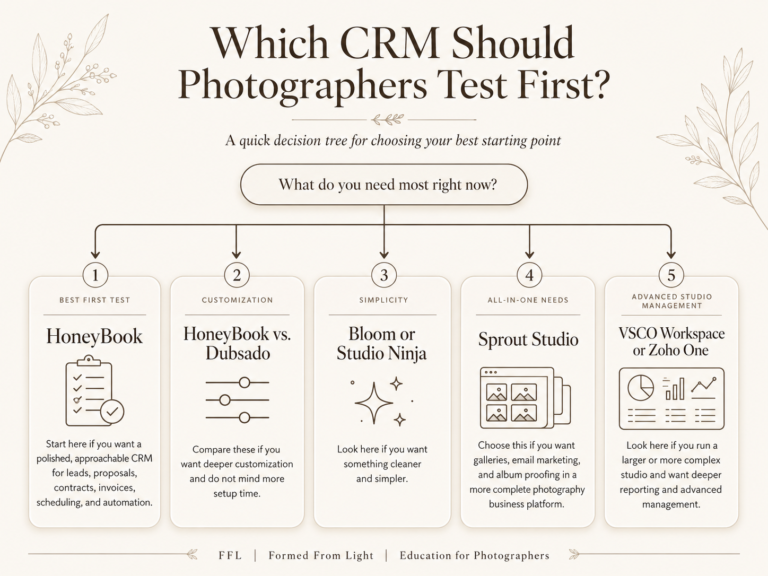
I would test HoneyBook first if you want a polished, approachable CRM for leads, proposals, contracts, invoices, scheduling, and automation.
If you want deeper customization and do not mind more setup time, compare HoneyBook against Dubsado. These two are quite similar and offer a lot of depth.
If you want something cleaner, simpler, and more minimalistic look at Bloom or Studio Ninja.
If you want a more complete photography business management platform that can include galleries, email marketing, and album proofing, look at Sprout Studio.
If you run a larger or more complex studio and want deeper reporting and advanced studio management, look at VSCO Workspace (previously known as Táve) or possibly a broader business CRM system like Zoho One.
Quick Comparison: Which Photography CRM Should You Try First?
| CRM Platform | Best For | Ease of Setup | Automation Depth | Photography-Specific Fit | Best Studio Size |
|---|---|---|---|---|---|
| HoneyBook | Most solo photographers and small creative businesses | Easy to moderate | Strong | Good | Solo to small team |
| Dubsado | Custom workflows and flexible setup | Moderate | Strong | Good | Solo to small team |
| Bloom | Clean, modern, simple client management | Easy | Moderate | Good | Solo to small team |
| Studio Ninja | Photography-specific workflows | Easy to moderate | Moderate | Strong | Solo to small team |
| 17hats | General small-business CRM | Moderate | Moderate | Moderate | Solo to small team |
| Sprout Studio | CRM plus galleries, email, album proofing | Moderate | Strong | Strong | Solo to growing studio |
| VSCO Workspace / Táve | Advanced studio management | More complex | Strong | Strong | Growing to larger studio |
| Pixieset Studio Manager | Pixieset users and lighter booking needs | Easy | Light to moderate | Good | Solo photographer |
Why Photographers Should Use a CRM
A CRM helps bring organization to a photography business that can otherwise become scattered very quickly.
Without one, you might end up using:
- one form tool for inquiries
- one scheduler for consult calls
- one document tool for contracts
- one invoicing tool for payments
- one email inbox for communication
- one spreadsheet for tracking leads
- one calendar for dates
- one folder system for client notes
Admittedly, you can make that work for a while especially if you have a newer photo business.
But at some point, the cracks start showing. Managing your business with this many tools can become overwhelming and exhausting.
A good CRM puts more of this under one roof. Contact forms can bring new leads into the system. Each lead or client can have a project space. You can send questionnaires, proposals, contracts, invoices, payment reminders, and templated emails. You can also build workflows or automations so certain steps happen more consistently.
For photographers, this matters because client work is not just one task…
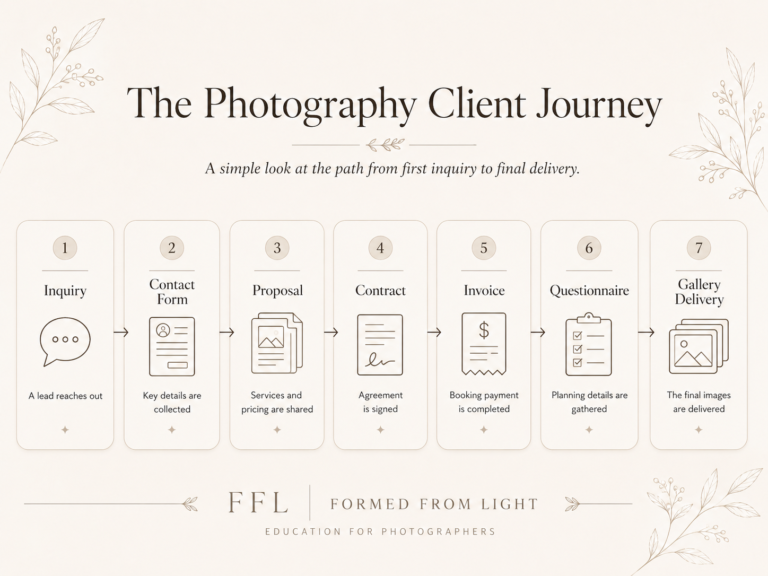
A wedding client may need an inquiry response, consult call, proposal, contract, retainer invoice, engagement session scheduling, questionnaires, timeline communication, final payment reminders, gallery delivery communication, review request, and post-delivery follow-up…
That is a lot to remember!
In our experience, a CRM really helps with three main things:
- Organization: leads, clients, projects, dates, documents, and communication live in one place.
- Consistency: templates and workflows help you repeat your process more reliably.
- Professionalism: clients experience a smoother, more structured booking and communication process.
The internal organization helps you out.
The external structure helps the client trust you!
That last part matters more than people sometimes realize. When someone is spending real money on photography, especially for a wedding, elopement, or important portrait session, they are not only evaluating the images. They are also evaluating whether you seem reliable, responsive, organized, and easy to work with (this all contributes to the “client experience”, after all).
What to Look for in a Photography CRM
Not every CRM is built with photographers in mind. Some are general business tools (a good example of this would be something like Salesforce, which is a little much for a photography studio). Some are designed for creatives or small businesses (more broadly). Some are specifically built for photography studios.
When I look at the best client management software for photographers, these are the core features I care about most:
Lead Capture and Contact Forms
A good CRM should make it easy for people to inquire with you and get into your management process.
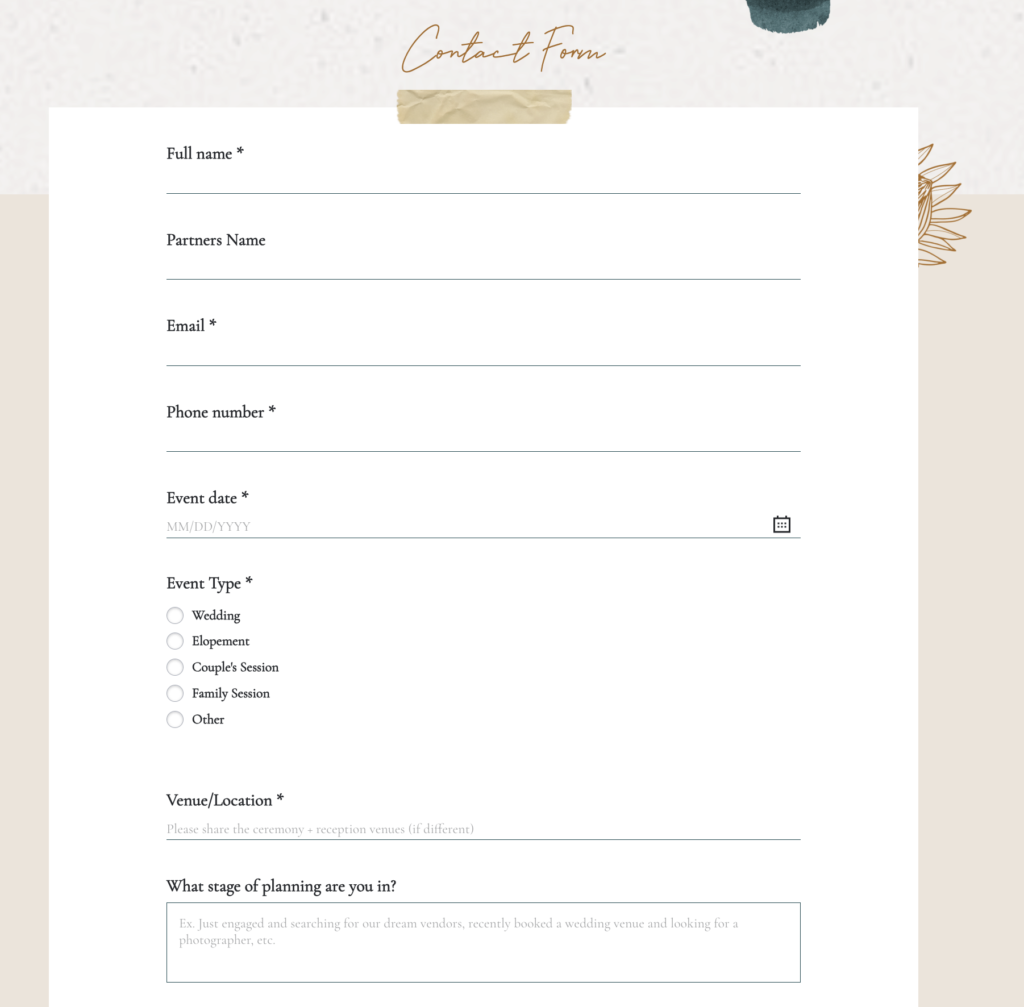
Ideally, it gives you embeddable contact forms that can live on your website. When someone fills out the form, that lead should automatically populate inside the CRM so you are not manually copying information from your inbox into a spreadsheet.
This is one of the first places a CRM starts to save time. It also helps prevent the small but costly issue of leads getting buried in your inbox.
Contracts and Invoices
This is non-negotiable for me.
A photography CRM should allow you to send contracts and invoices, preferably together or as part of one booking flow (like Honeybook’s “Proposals”). This is the bread and butter of making the booking process easier.
A client should be able to review what they are booking, sign the contract, pay the retainer, and officially move forward without unnecessary friction.
When this process is clunky, momentum can fade. When it is simple, the client can make the decision and complete the booking while they are still excited to work with you.
Pricing Documents
Not every photographer needs a complex pricing document built natively on their CRM, but I’ll admit, it can be very useful.
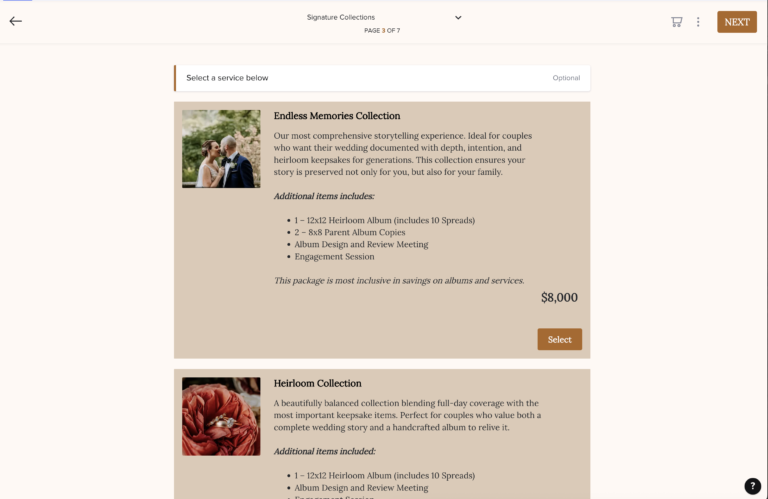
For wedding photography especially, I like having a polished pricing brochure that helps explain the experience, packages, pricing, and next steps. This is one of the reasons I have stayed with HoneyBook for so long. I can send a structured pricing document, then move the client into contract and invoice from there.
This matters because many photography clients are not only buying a line item. They are buying into an experience. Your pricing document gives you a chance to frame the value of what you do before the client makes a decision.
Scheduling and Calendar Integration
A built-in scheduler is a major plus for any CRM you’re looking at.
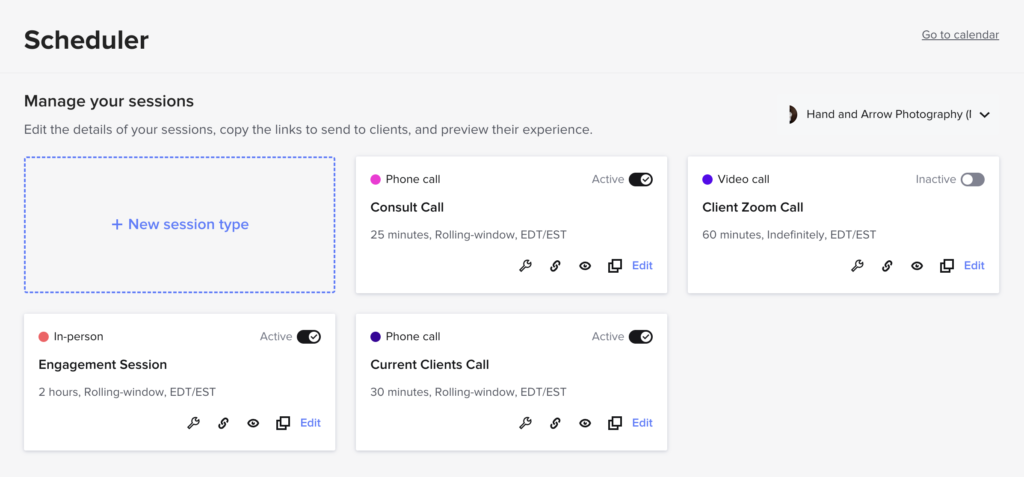
This is one area where HoneyBook has been particularly useful in my own business. I have different schedulers for consult calls, current client calls, and even engagement session scheduling.
The less I need to rely on a separate Calendly-style tool, the better. It keeps more of the process in one place and reduces the amount of admin work I have to think about.
Calendar integration also matters because dates are not just administrative details for photographers. They are the work. Weddings, sessions, consults, payment due dates, questionnaire deadlines, and gallery delivery timelines all need to be tracked.
For me, Google Calendar integration is one of the integrations I value most. I like being able to see business-related dates from HoneyBook alongside my personal calendar, and I like being able to keep my personal commitments visible so I do not accidentally create conflicts.
Integrations With Your Existing Tools
CRM integrations for photographers can also be useful, but I would not choose a CRM just because it has a long list of integrations.
A CRM should fit into the way your business already works. That may include your website platform, Google Calendar, gallery platform, bookkeeping software, email marketing platform, payment processor, or other tools you rely on.
The most valuable integrations are the ones that reduce real friction.
Email integration can be useful (I’d argue essential) because it allows you to send and receive client emails inside the CRM while keeping communication tied to the right project. Calendar integration matters because it helps prevent scheduling conflicts. Website form integration matters a ton because you do not want to manually copy every new lead into your CRM.
Some other integrations can be helpful depending on your setup, but many feel like fluff to me. A CRM might technically integrate with dozens of platforms, but that does not mean most photographers will use those connections in a meaningful way.
Before getting excited about a long integration list, ask:
“Will this integration actually save me time or reduce mistakes in my real workflow?”
If the answer is no, it may not matter much.
Templates and Questionnaires
The more you grow, the more you realize how many things you repeat.
Inquiry responses. Follow-up emails. Wedding questionnaires. Timeline questions. Session prep notes. Gallery delivery emails. Review requests…
A strong CRM should let you create templates so you are not writing every message or document from scratch. This does not mean the client experience has to feel robotic. It just means you are not relying on memory or rewriting the same email 100 times.
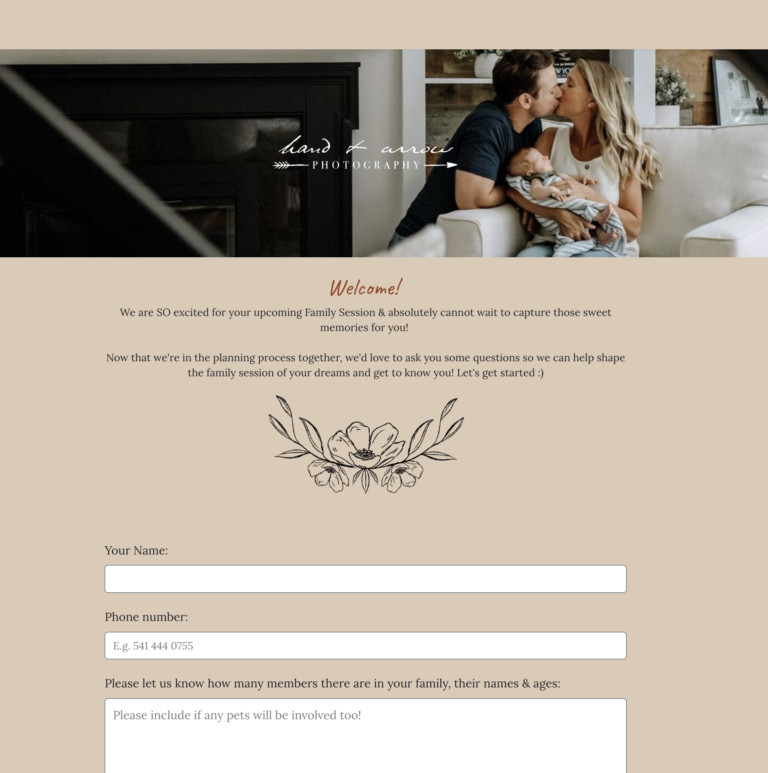
If you need some email templates of your own, be sure to check out our Shop.
Our Inquiry to Booking System and Client Experience Nurturing System both go in depth to help photographers build out these parts of their businesses – including email (and text) templates as well as walkthroughs and guidance to make your business feel more like a system instead of just random.
Automations
Automation is not the first thing a brand-new photographer needs to obsess over, but it becomes incredibly valuable as your business grows.
I especially like simple if-this-then-that logic.
For example:
- If someone submits an inquiry, send an automated response.
- If someone books, send a welcome email.
- If a session date is approaching, send a reminder.
- If a gallery is delivered, send a review request later.
In my business, automated inquiry follow-ups have been especially helpful because I no longer have to rely entirely on memory. Every lead can be served more consistently, even when I am busy shooting, editing, parenting, or just trying to keep up with the normal demands of life and business.
Get a Free Automated Inquiry Response Email Template
Mobile Access
A mobile CRM for photographers does not need to fully replace the desktop experience, but it should be useful.
Most of the serious setup work, like building workflows, creating forms, designing proposals, and configuring automations, is usually easier on a computer. Maybe I’m just a millennial who prefers desktop for things. But once the system is built, mobile access can be helpful when you are away from your desk.
For example, I do like the HoneyBook mobile app and use it often. I have used it before shoots or weddings to quickly pull up client details, notes, schedules, or project information when needed.
I do not need to build my whole business from my phone. But if I am heading into a wedding day and need to double-check a client detail, it is useful to have that information available.
Customer Support and Update Pace
The last big thing to really be thinking about when choosing a CRM is the CRM’s customer support reputation. This matters a whole lot because your CRM touches important parts of your business.
Think about it…Contracts, invoices, payments, client emails, questionnaires, scheduling, and active projects may all be running through this system. If something breaks or becomes confusing, you want to know there is support available.
When comparing CRMs, look for:
- helpful documentation
- email or chat support
- onboarding resources
- tutorials
- active help centers
- YouTube walkthroughs
- a clear update history
- a platform that still seems actively maintained
It’s also a good idea to pay attention if people are talking about a platform having good/bad customer support.
A powerful CRM can still be frustrating if support is weak or if the product feels neglected.
This is one of the reasons I pay attention not only to features, but to the overall health of the platform. Is it improving? Are users getting support? Are new features being added in a thoughtful way? Does it seem like the company understands the needs of photographers or creative businesses?
A CRM is not something you want to rebuild every few months. You want confidence that the tool will continue to be supported long term!
A Note on CRM Pricing and Free Trials
CRM pricing changes often, so I would be careful about choosing a platform based only on a price you saw in one blog post.
Before committing, check the current pricing directly on each platform’s website. Look at monthly pricing, annual pricing, transaction fees, payment processing fees, plan limits, and which features are locked behind higher tiers.
Also look closely at plan restrictions. Some platforms may limit active projects, brands, team members, automations, forms, storage, client portals, payment features, or advanced reporting. A plan that looks affordable at first may become less appealing if the features you actually need are only available one or two tiers up.
Also compare the CRM cost against the cost of separate tools.
For example, if one CRM replaces your scheduler, proposal software, contract signing tool, invoicing software, contact form, and some of your email templates, the monthly cost may make more sense than it first appears. On the other hand, if you already have a simple system that works and only book a few clients a year, a full CRM might be more than you need right now.
Free trials and demos are especially valuable here. Sign up for a few CRMs that are peaking your interest and create a test inquiry. Send yourself a proposal. Sign a test contract. Try an invoice. Build one basic workflow. Pretend you are the client and see what the experience feels like. That process will tell you more than most feature lists!
8 Best CRMs for Photographers: My Recommended Options
This list is not meant to pretend every platform is perfect or that every photographer needs the same thing.
Some photographers need a simple booking system. Some need advanced workflows. Some need all-in-one galleries and email marketing. Some just need contracts, invoices, and a way to stop losing track of leads.
Use this as a practical starting point.
1. HoneyBook

Best for: photographers who want a polished, approachable CRM for leads, proposals, contracts, invoices, scheduling, templates, and automations.
HoneyBook is my top overall recommendation for many photographers because it balances usefulness, approachability, and enough workflow power for a serious photography business.
I have used HoneyBook for around 10 years in my own wedding and portrait photography business. It is where I manage leads, client projects, proposals, contracts, invoices, payments, questionnaires, scheduling, templates, and automations.
Why I Like HoneyBook
The biggest reason I recommend HoneyBook is that it makes the core client process feel as simple as it is connected.
A person can inquire through a contact form. That lead automatically opens up a project. You can schedule a call. You can send a pricing brochure. You can send the contract and invoice. You can collect payment. You can use email templates and automations to keep things moving.
That kind of connected process matters.
In the early days, booking clients was much more manual for me. Today, when someone says they want to move forward, I can send a proposal quickly. The client can review, sign, and pay online. That is a much smoother experience than mailing contracts and waiting for checks.
How I Use HoneyBook in My Photography Business
In my own business, HoneyBook is not just a place where I send invoices. It is the center of my inquiry-to-booking process.
I use HoneyBook for:
- embedded contact forms
- lead tracking
- client project management
- consult call scheduling
- current client call scheduling
- engagement session scheduling
- pricing brochures and proposals
- contracts
- invoices and payment schedules
- questionnaires
- email templates
- automated inquiry responses
- automated follow-ups
- Google Calendar integration
- mobile access to client and project information
I wouldn’t be surprised if there’s something I’m missing in this list!
The biggest value is not any one feature on its own. It is that the pieces connect together.
For example, if someone inquires, they enter the system as a lead. I can review their information, send the right next step, schedule a call if needed, send a pricing guide or proposal, then move into contract and invoice if they decide to book.
That is a very different experience than bouncing between an inbox, a PDF, a contract tool, an invoice tool, and a spreadsheet.
Who HoneyBook Is Best For
HoneyBook is a good fit for:
- wedding photographers
- elopement photographers
- portrait photographers
- solo photographers
- small teams
- photographers who want a cleaner inquiry-to-booking process
- photographers who want templates, scheduling, contracts, invoices, and automations in one place
- photographers who want a CRM with online booking tools, proposals, and payments
It can support a wide range of businesses, but if you are running a very large studio with many shooters, complex permissions needs, or unusual operational needs, I would test it carefully before fully committing.
Potential Downsides
No CRM is perfect.
One thing I have not always loved is that some client-facing communication can feel distinctly like it is happening inside HoneyBook. For current clients, this is usually not a big issue. For brand-new leads, I could see some photographers preferring a more invisible or fully custom experience.
There have also been updates over the years that I did not love at first, too. That is somewhat expected when you use a platform for a decade. Still, the platform has continued to grow and add value to my business.
My Take
HoneyBook is the CRM I use and the one I would recommend most often to photographers who want a strong, approachable, all-in-one client management system.
It is not the most technical or endlessly customizable platform on the market, but that is part of why I like it. For many photographers, the best CRM is not the one that can do the most complicated thing. It is the one they will actually use consistently.
If you try Honeybook through my link, you can get 30% off any paid subscription.
Want to learn more about Honeybook? Check out these resources I’ve created:
2. Dubsado
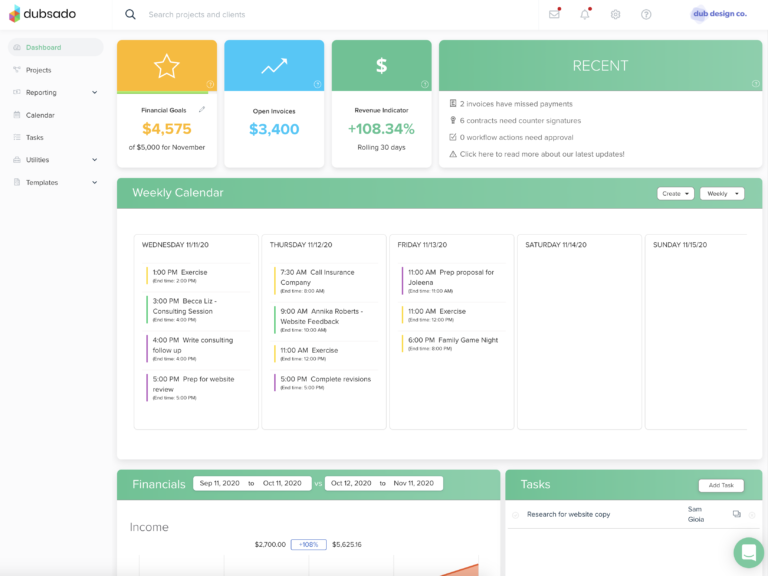
Best for: photographers who want flexible workflows, deeper customization, and do not mind spending more time on setup.
Dubsado is another strong CRM option for photographers, especially if you want more customization and are willing to spend time setting things up.
I have trialed Dubsado several times over the years. I liked what I experienced with it, and it has always felt like one of the CRMs most similar to HoneyBook in terms of the type of photographer or creative business owner it can serve well.
Compared with HoneyBook, I’d say that Dubsado can feel more customizable. That can be a benefit if you have multiple service types, more complex forms, unusual workflows, or a stronger desire to control the client-facing experience.
The downside is that more customization often means more setup time.
If you are looking for something that feels easy out of the box, Dubsado may feel slower to get fully configured than a simpler CRM. That does not make it bad. It just means you should be realistic about the time it takes to build it well.
My take: Dubsado is a strong option if you want flexibility and are willing to build the system properly. For photographers comparing HoneyBook vs Dubsado, I would frame it simply: HoneyBook may feel more approachable, while Dubsado may appeal more if you want customization and are willing to invest more time in setup.
3. Bloom
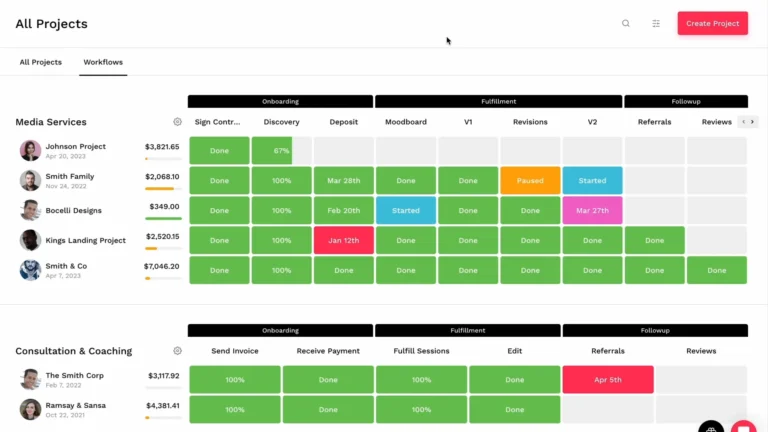
Best for: photographers who want a clean, simple CRM that feels modern and streamlined.
Bloom is a modern CRM and business workspace for creative professionals.
I have tried Bloom previously and really liked it specifically for its simplicity. At the time I tested it, it did not feel as full-featured as platforms like HoneyBook, but it did feel streamlined in a way that some photographers will definitely appreciate.
Bloom stands out because it feels clean, modern, and relatively simple. Minimalist would also be another word I’d use to describe it. Some CRMs feel like they are trying to do everything at once and make basic tasks harder than they need to be. Bloom felt more focused.
The tradeoff with simpler platforms like this is that they may not always offer the same depth as more complex systems.
My take: Bloom is a strong option for photographers who want something clean and modern. If I were running a simpler photography business and did not already have years of HoneyBook templates and workflows built out, it would be one I would seriously consider.
4. Studio Ninja
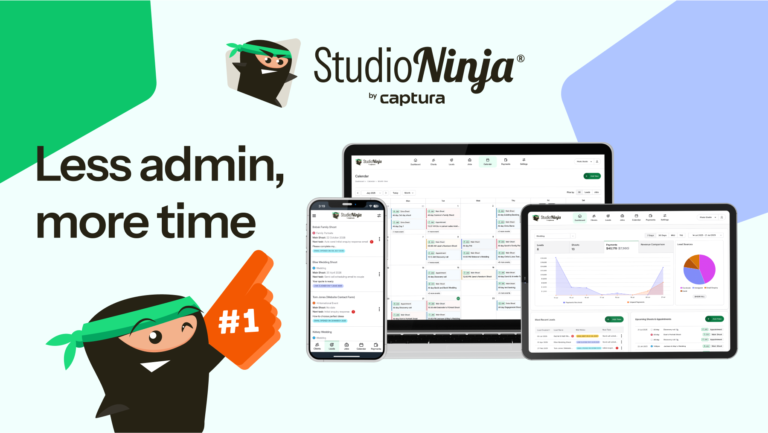
Best for: photographers who want a photography-specific CRM with simple workflows and less general business clutter.
Studio Ninja is a CRM built specifically for photographers.
I have not personally tested Studio Ninja in my own business, but I have heard good things about it, and it is often mentioned in photography business conversations. My thoughts here are based more on research and overall fit than personal daily use.
The appeal is that Studio Ninja focuses directly on photography workflows: leads, jobs, invoices, workflows, and client communication. That can make it feel less like a broad and generalist type of CRM that photographers are adapting for their business and more like software built specifically with photographers in mind.
The possible downside is that it may feel less flexible than some more customizable platforms.
My take: Studio Ninja is worth considering if you want a photography-specific CRM and prefer simplicity over endless customization. Since I do not have hands-on experience with it, I would test it directly and compare it against HoneyBook, Dubsado, and any gallery platform you already use.
5. 17hats
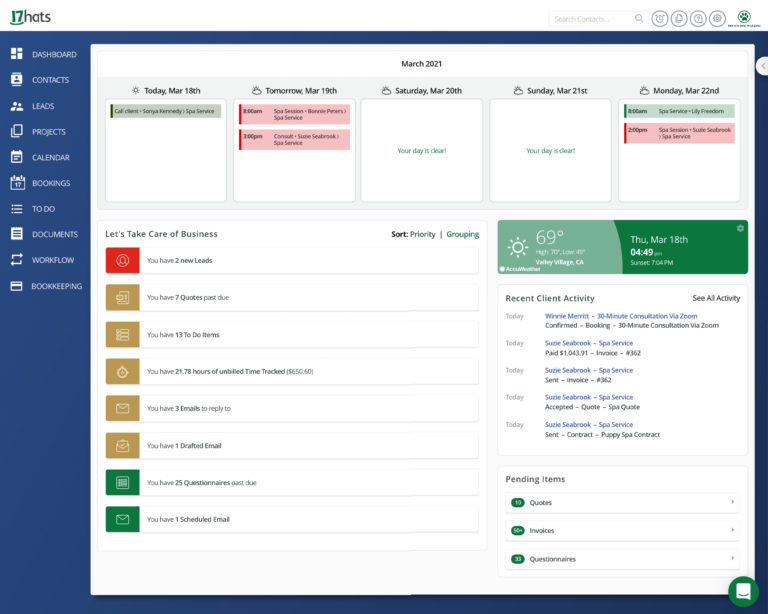
Best for: photographers who want a general small-business CRM with contracts, invoices, questionnaires, workflows, and admin tools in one place.
17hats is a CRM and small-business management platform that has been around in the creative business space for a long time.
I demoed 17hats early in my career when it was one of my main considerations alongside HoneyBook. At the time, I thought the functionality was good. A few years ago, I also demoed it more at WPPI in Las Vegas, and liked what I saw.
17hats is not only for photographers, but it includes many of the basics photographers need: contacts, projects, documents, contracts, invoices, workflows, and scheduling-related tools.
Because it is not exclusively photography-specific, some photographers may prefer a platform more directly built around photography workflows. Others may appreciate the broader small-business structure.
My take: 17hats is a solid general CRM for photographers who want an all-in-one small-business system without necessarily needing a platform built only for photographers.
6. Sprout Studio
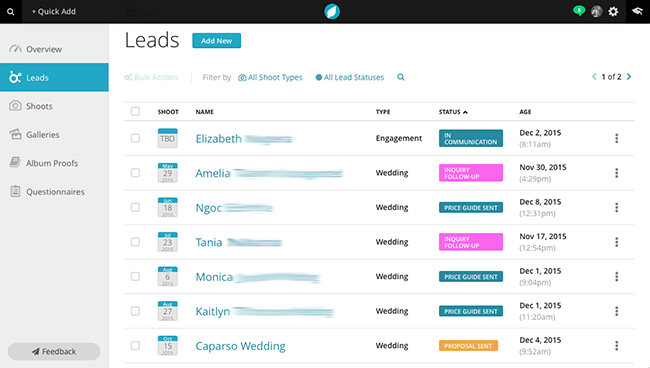
Best for: photographers who want an all-in-one photography business platform with CRM, galleries, email marketing, album proofing, and more.
Sprout Studio is one of the more all-in-one photography business platforms.
I have not personally tested Sprout Studio in my own business, but I have heard good things about it from photographers and it is worth considering if you want more than just basic client management.
The main appeal is that Sprout Studio goes beyond CRM. Instead of using one platform for CRM, another for galleries, another for email marketing, and another for album proofing, Sprout Studio tries to bring more of those pieces together.
The downside of all-in-one platforms is that they can sometimes feel broad rather than refined. They can simplify your tech stack, but you need to make sure you actually like each major piece of the system before committing.
My take: Sprout Studio is worth considering if you want a true all-in-one photography business platform. I would especially compare it against your current gallery delivery and email marketing needs before switching.
7. VSCO Workspace (previously Táve)
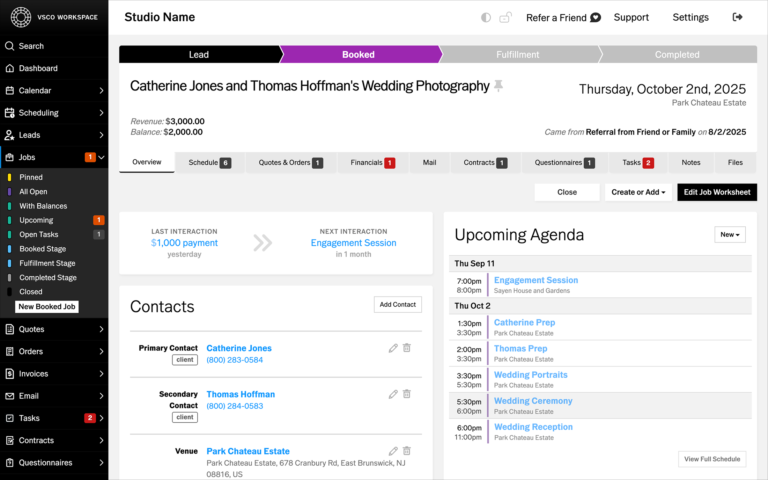
Best for: photographers or studios that want advanced photography studio management, reporting, and deeper backend control.
Táve has historically been one of the more advanced studio management platforms for photographers, and it is now presented as VSCO Workspace.
I tested Táve multiple times, both for my photography business and for other ventures. I also know photographers who swear by it. That said, I never really liked it personally.
The main appeal is depth. This kind of platform can make sense for photographers or studios that want advanced lead tracking, reporting, workflows, and a more robust backend system. In my understanding, it was also one of the earliest CRMs specifically made for photographers that featured more in depth automation capabilities (specifically with the ability to use if/then logic).
For me, though, the first downside was complexity. Even as someone who is fairly comfortable with technical tools, I found Táve difficult to use and somewhat cumbersome. My biggest detractor in the past was that it felt like there were years with few updates and not great customer support. That was not just my experience either, but also peers shared similar feelings (some who even used and stuck with it as their CRM).
It is possible some of this has changed since becoming VSCO Workspace, but I do not have hands-on experience with the newer version in the same way to really comment.
My take: VSCO Workspace is worth exploring if you want advanced photography studio management. For many solo photographers, I would start with something more approachable first, though.
8. Pixieset Studio Manager
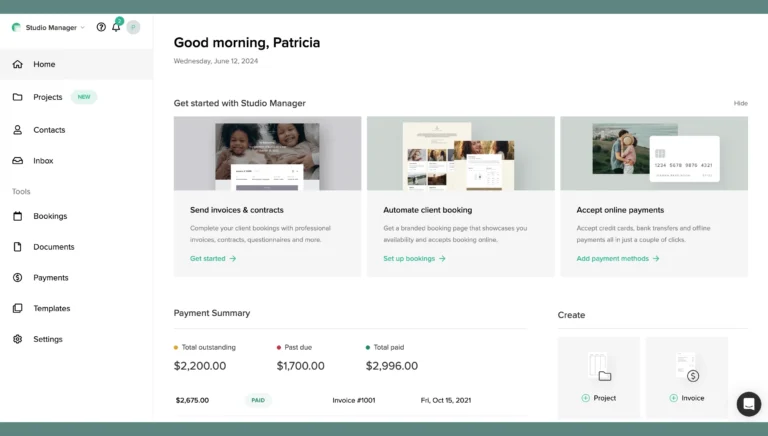
Best for: photographers already using Pixieset who want lighter studio management inside a familiar ecosystem.
Pixieset Studio Manager is designed to help photographers with booking, invoices, payments, contracts, questionnaires, and client management.
I used Pixieset for gallery hosting early in my career before eventually moving over to Pic-Time. I do not have hands-on experience using Pixieset Studio Manager as my main CRM, but I can see why it would appeal to photographers who already like the Pixieset ecosystem.
The obvious appeal is simplicity and integration with a platform you may already be using. If you already use Pixieset galleries, adding Studio Manager may feel like a natural extension.
The downside is that Pixieset Studio Manager may not be as robust as a dedicated CRM like HoneyBook, Dubsado, or more advanced studio management software. Pixieset is a good example of a platform that can feel attractive because it offers a lot: galleries, websites, store features, studio management, and more. But the tradeoff is that it may feel like a “master of none” if you need one specific area to be very strong.
My take: Pixieset Studio Manager is a good option if you want a simpler client management layer and already like the Pixieset ecosystem. I would not personally rely on it extensively for a more workflow-heavy photography business without testing it carefully first.
Which CRM Should You Choose?
The best CRM for photographers depends on your business model, your workflow, and your tolerance for setup.
If you are a solo photographer or small studio and want the best overall starting point, I would test HoneyBook first. It is strong enough for a serious photography business but approachable enough that you do not need to spend months building the system. It’s hard for me to ignore that I’ve been using it for nearly 10 years now and have built a sustainable photography business on it.
If you want more customization options, test Dubsado. It is probably the closest HoneyBook alternative for photographers who want flexible workflows and more control over forms, automations, and client-facing setup.
If you care most about simplicity and clean design, look at Bloom. It may not be the deepest platform, but sometimes simple is exactly what a photographer needs.
If you want a photography-specific CRM without getting too complex, look at Studio Ninja.
If you want one platform that can handle CRM, galleries, email marketing, album proofing, and more, look at Sprout Studio.
If you are running a larger or more complex studio and want advanced reporting, lead tracking, and studio management, look at VSCO Workspace or possibly a broader platform like Zoho One.
If you already use Pixieset and only need a light studio management solution, Pixieset Studio Manager may also be enough.
My honest advice: pick the platform that solves your next real bottleneck.
What Running a Photography Business With and Without a CRM Looks Like
So here’s the thing…you can run a photography business without a CRM, especially when you are just starting out.
If you only have a few clients a year, you may be able to manage things with email, calendar reminders, Google Drive, contracts from another platform, invoices from another tool, and a spreadsheet…
I did this sort of thing and I don’t think there is anything wrong with starting simple (and as cheap as possible).
Of course, the real problem comes when inquiries and client projects start stacking up.
Without a CRM, you may find yourself asking things like:
- Did I respond to that inquiry?
- Did I follow up?
- Did they sign the contract?
- Did they pay the retainer?
- Did I send the questionnaire?
- Is the final payment due soon?
- Did I send the timeline email?
- Where did I put that client note?
- Did I remember to send the gallery delivery email?
With a CRM, the process can become much more structured.
A lead submits your contact form. The project is created automatically. They get an inquiry response. You review the lead. You send a pricing guide, proposal, or scheduling link. They book a call. You send a contract and invoice. They sign and pay. The workflow moves forward…
That does not mean everything is automated or impersonal.
It means the important steps are easier to repeat!
For my business, the CRM helps me stay organized and frees up mental space. I am not constantly trying to remember every small admin step. The system helps carry some of that weight.
That is the real value.
Why I Still Keep Backup Project Records Outside My CRM
Even if you use a CRM, I do not think every piece of your client project data should live only inside that platform.
This may sound a little counterintuitive in an article about CRMs, but it is important.
A CRM can be the center of your client process without being the only place important information exists.
In my own business, I also use spreadsheets that I keep hosted on my computer and in cloud storage through Google Drive. These spreadsheets let me document client projects in a different way, organize data in a format that is easier for me to scan, and maintain a secondary source of key information outside of HoneyBook.
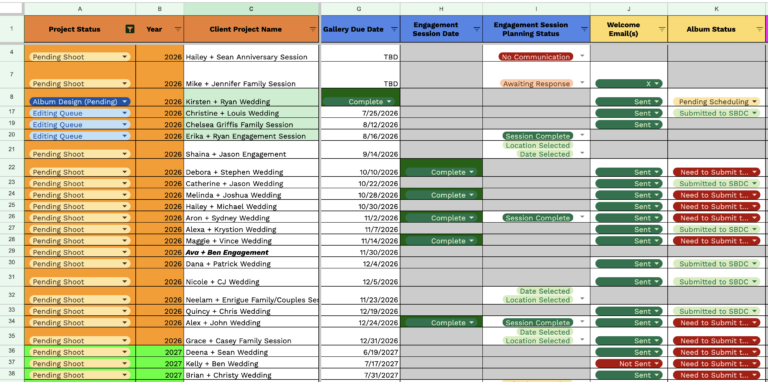
This is useful for a few reasons…
Sometimes a spreadsheet is simply better for certain kinds of data. A CRM is great for client communication, contracts, invoices, questionnaires, and workflows. But if I want to look across many projects at once, organize dates, track details, or reference information in a more custom format, a spreadsheet can be faster and cleaner.
It also gives me a backup. This is so important!
I do not expect HoneyBook (or any established CRM) to suddenly disappear tomorrow. That is not a fear I actively operate from. But I also do not love the idea of one third-party platform being the only place where important business information exists.
A similar example from the photography industry was when Flothemes shut down. That was not a CRM (it was a website template interface that worked with Squarespace sites primarily, that would stop working for people after they updated to new Squarespace versions), but it showed how dependent photographers can become on platforms they do not fully control.
The lesson is not that you should distrust every platform.
The lesson is that it is smart to keep a secondary record of important business information.
A good CRM should make your business easier to run. It should not become the only place your business exists.
How to Choose the Best Photography CRM for You
The best photography CRM is the one that fits your actual business, not someone else’s.
Before committing, ask:
- Do I need contracts and invoices in one place?
- Do I want built-in scheduling?
- Do I need automations now, or just later?
- Do I want a photography-specific platform?
- Do I already use a gallery platform with CRM features?
- Do I need questionnaires?
- Do I want advanced reporting?
- Do I care more about simplicity or customization?
- How hard would it be to move later?
- Does the client-facing experience feel good?
- Does the CRM integrate with the tools I already use?
- Does the mobile app work well enough for how I work?
- Does the company seem actively supported and updated?
A CRM is not just for you. It becomes part of the client experience and part of the business infrastructure you rely on.
Also, test before you commit. Create a test inquiry. Build a sample workflow. Send yourself a contract. Send yourself an invoice. Pretend you are the client. See what the process actually feels like.
Do not choose only because a photographer on the internet said it was the best.
Including me. 🙂
Other Photography CRMs Worth Knowing About
The platforms above are the main ones I would focus on first, but they are not the only options out there. In fact, sometimes it feels like a new specialty CRM pops up every few weeks!
Here’s a few others to look at:
ShootQ has been around in the photography CRM space for a long time and may still be worth looking into if you want a photography-specific studio management tool. I would compare its current feature set and update pace carefully against newer options.
ShootZilla is another photography workflow and studio management platform that may appeal to photographers who want help organizing tasks and workflows. I would treat it as a research option rather than one of my first recommendations.
Pixifi is a business management platform often discussed in creative and event-based business circles. It may be worth exploring if you want more robust studio management, though I would compare setup complexity and client experience carefully.
Picsello is another photography-focused platform worth knowing about, especially for photographers interested in CRM, booking, scheduling, galleries, and business support in one place. I would compare it more directly against Sprout Studio and Pixieset Studio Manager if you want a more photography-specific ecosystem rather than a general creative-business CRM.
Zoho One is much broader than a photography CRM. I used it for another business venture, and while it can be powerful, I believe it is overkill for the vast majority of photographers due to setup complexity.
Salesforce is a powerful general CRM, but I would not recommend Salesforce for photographers in most cases. I used Salesforce extensively in my previous corporate career, and I can confirm from experience that it is far more system than a typical photography business needs. There may be an edge case where a large studio with a true sales team and more advanced operations could make use of it, but for most photographers, I would not spend much time considering it.
Unscripted is known more for posing, prompts, and photography business tools than as a traditional full CRM. It may be useful for some photographers, but I would not personally treat it as a replacement for a more complete CRM unless its current feature set fully supports your booking workflow.
Most platforms have people who love them and people who dislike them. You can find proof of that all over Facebook groups, Reddit threads, and photography communities. That is why testing matters!
Common Mistakes Photographers Make When Choosing a CRM
Choosing Based Only on Price
Affordability matters, especially when you are newer. But the cheapest CRM is not always the best fit.
If a better CRM saves you hours every month, helps you follow up with leads, makes booking easier, and helps you look more professional, the cost may be justified.
Also be aware that even if the price is nice today, most (if not all) of these companies do raise prices at some point. You should always make a plan for that in your business budgeting!
Choosing the Most Complicated Tool Too Early
Advanced automations are great when you are in a position to actually want to use them (or could see yourself growing into that need later).
But if you are still figuring out your basic inquiry process, you probably do not need to build a massive workflow system right away.
Start with the core process: inquiry, response, proposal, contract, invoice, follow-up.
Ignoring the Client Experience
Some tools may work fine internally, but feel clunky for clients.
Before committing, test what your clients will actually see. Go through the process of submitting your contact form, and reviewing things like emails, proposals, contracts, invoices, and questionnaires (etc) but as a client. If it feels confusing to you, it may also feel confusing to a real client!
Ignoring Customer Support
A CRM can look great during a trial and still become frustrating if support is poor.
This matters because your CRM is not just a note-taking app. It may be connected to your contracts, invoices, payment reminders, client communication, and active bookings. If something goes wrong, good support can save you a lot of stress.
Before committing, look for help docs, tutorials, onboarding resources, support options, and signs that the platform is still actively improving.
Waiting Too Long to Set Up a System
You do not need a CRM on day one if you have no leads and no clients.
But once people are reaching out, a system becomes important quickly. The longer you wait, the more scattered your process may become.
Relying Only on the CRM for Important Project Information
A CRM can be your main client management tool, but I would still keep a secondary record of important project data like I talked about earlier.
This does not need to be complicated. A spreadsheet with key dates, client names, services booked, payment notes, gallery delivery status, and other essentials can give you a backup reference point outside the CRM.
Switching Too Often
Once you build templates, workflows, questionnaires, proposals, contracts, and automations inside a CRM, switching can become a real pain.
This is one reason I recommend testing carefully before committing. A CRM can be changed later, but it is much easier to choose thoughtfully up front than to rebuild your entire client process every year.
I think about this often with my Honeybook subscription, actually. Even if there was a future where I wanted to migrate to another CRM…that would be a massive undertaking…It’s not impossible, but really worth thinking about what platform you want to stick with at least for the next few years or longer (ideally).
FAQ: Best CRM for Photographers
What is the best CRM for photographers?
For many photographers, HoneyBook is my top recommendation because it handles the core client management needs well: inquiries, projects, scheduling, proposals, contracts, invoices, payments, templates, and automations. That said, the best CRM depends on your workflow and business size.
What is the best CRM for wedding photographers?
For many wedding photographers, HoneyBook is a strong starting point because it supports contact forms, consult scheduling, pricing brochures or proposals, contracts, invoices, payment schedules, questionnaires, templates, and automations. Dubsado is also worth considering if you want more customization, while Sprout Studio may appeal to photographers who want CRM features alongside galleries, email marketing, and album proofing.
Do photographers need a CRM?
Not always on day one. But once you are getting inquiries and booking clients, a CRM can help you stay organized, look more professional, save time, and create a more consistent client experience.
What is the best free CRM for photographers?
A true free CRM may be limiting for photographers if you need contracts, invoices, payments, and workflows. Some platforms offer free trials or lower-cost entry plans, but for serious client work, I would focus more on fit than finding the cheapest option.
Is HoneyBook good for photographers?
Yes. In my experience, HoneyBook is a strong CRM for photographers, especially solo photographers and small studios that want an approachable system for inquiries, scheduling, proposals, contracts, invoices, payments, and automations.
Is Dubsado better than HoneyBook?
Dubsado may be better if you want more customization and are willing to spend more time building workflows. HoneyBook may be better if you want a more approachable system that is easier to get running for a typical photography business.
What should a photography CRM include?
A good photography CRM should include lead management, contact forms, contracts, invoices, payment processing, client communication, templates, scheduling, questionnaires, calendar integration, customer support, and workflow automation.
What is the best client management software for photographers who are just starting?
For newer photographers, I would prioritize ease of setup, contracts, invoices, contact forms, and a simple booking process, as well as being on a platform you can also grow with. HoneyBook, Bloom, Studio Ninja, and Pixieset Studio Manager may all be worth testing depending on how simple or robust you want the system to be.
Can a CRM integrate with my photography website?
A strong CRM should make it easy to embed contact forms, connect inquiries, or otherwise route leads from your website into your client management system.
Before committing, test how the CRM works with your website platform so new leads do not have to be copied manually from your inbox into your CRM.
Should a photography CRM work on mobile?
A good photography CRM should at least make it easy to check client details, schedules, messages, invoices, and project status from your phone. A dedicated mobile app by the CRM company is best.
I would still test the desktop experience carefully, though, because most setup work, like workflows, forms, proposals, and automations, is usually easier on a computer.
Should I keep client project information outside my CRM too?
Yes, I think this is a good idea.
Your CRM can be the main place where you manage client projects, but I would still keep a backup record of key project information somewhere else, such as a spreadsheet stored locally and in cloud storage. This gives you a secondary reference point if the CRM is down, if you ever switch platforms, or if you want to organize project data differently than the CRM allows.
Final Thoughts
The best CRM for photographers is not always the one with the longest feature list.
It is the one that helps you run your business more consistently.
For me, that has been HoneyBook since the earliest days of my photography studio. It has helped me organize leads, manage client projects, send contracts and invoices, schedule calls, build templates, automate follow-ups, and create a smoother client experience.
But I also do not think a CRM should be the only place your business exists.
Use your CRM for what it does well: client communication, proposals, contracts, invoices, workflows, and project management. Then keep a simple backup layer for the key project information you would not want to lose or have trapped inside one platform.
For you, the right CRM may be HoneyBook, Dubsado, Bloom, Studio Ninja, 17hats, Sprout Studio, VSCO Workspace, Pixieset Studio Manager, or something else.
The important thing is to test the platform in the context of your real workflow.
Do not just ask, “Which CRM has the most features?”
Ask instead:
“Will this make my photography business easier to run?”
That is the better question.
Where to Go Next
If you want my personal CRM recommendation, start by testing HoneyBook and seeing if it fits the way you want to manage inquiries, proposals, contracts, invoices, and client communication.