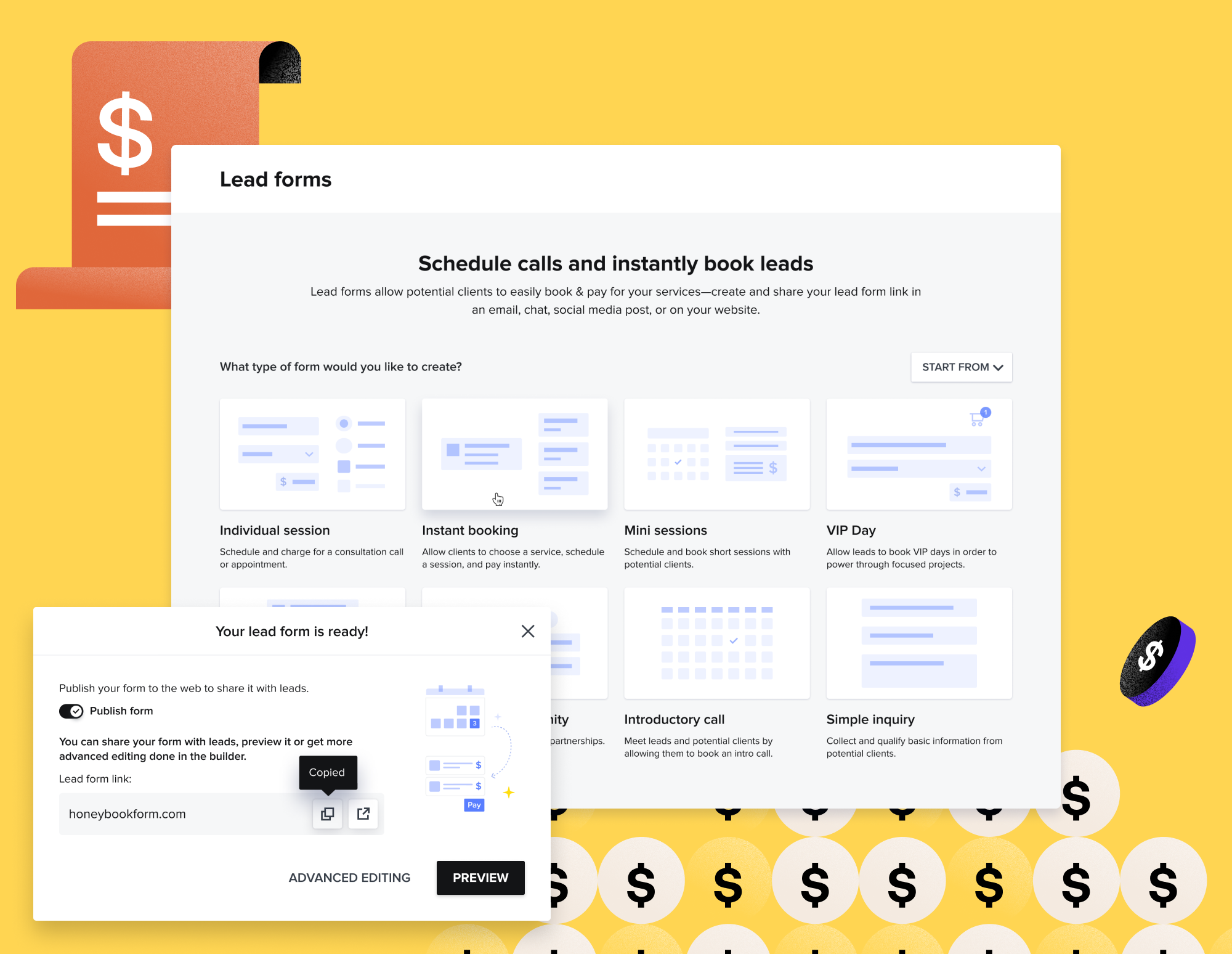
HoneyBook Pricing for Photographers: Plans, Fees, and Is It Worth It?
HoneyBook currently offers three membership levels: Starter, Essentials, and Premium. Each can be billed monthly or annually, with annual billing offering a lower effective monthly price.
At the time of writing, the standard annual rates are:
- Starter: $29 per month, billed annually
- Essentials: $49 per month, billed annually
- Premium: $109 per month, billed annually
Monthly billing costs more:
- Starter: $36 per month
- Essentials: $59 per month
- Premium: $129 per month
There are also payment-processing fees when clients pay through HoneyBook. Those fees vary depending on whether the client uses a bank transfer, Visa or Mastercard, American Express, Discover, or a saved card. Those fees are roughly the same you’d experience anywhere for the corresponding payment type.
That is the factual overview of Honeybook’s current pricing structure. Now, the more useful question is usually:
Which HoneyBook plan do photographers actually need, and does the value justify the price?
I have used HoneyBook for roughly nine years and currently use the Premium plan within our wedding and portrait photography business. Over that time, I have managed hundreds of clients, many more prospective leads, and hundreds of thousands of dollars in client payments through the platform.
If you want a more in depth breakdown, you can check out our Honeybook Review and Honeybook for Photographers for workflow ideas.
In this guide, I am going to break down the current HoneyBook pricing and offerings, the differences between its plans, the additional fees to consider, and how I would choose a membership at different stages of a photography business.
If you’re considering Honeybook yourself, you can get a Honeybook free trial and if you choose to upgrade in the future, get 30% off any paid plan by using our referral link.
HoneyBook Pricing at a Glance
| Plan | Annual Billing | Monthly Billing | Best Fit |
| Starter | $29/month | $36/month | Newer solo businesses needing basic client and booking tools |
| Essentials | $49/month | $59/month | Growing photographers who need automations, integrations, and more forms |
| Premium | $109/month | $129/month | Established businesses needing more team access, brands, reporting, and scale |
Annual billing means paying for the full year rather than being charged month to month. Based on the standard rates above, the yearly totals are:
- Starter: $348 per year
- Essentials: $588 per year
- Premium: $1,308 per year
Monthly billing gives you more flexibility, but the total cost over 12 months is higher:
- Starter: $432 per year
- Essentials: $708 per year
- Premium: $1,548 per year
For someone who knows they intend to use HoneyBook long term, annual billing is usually the more economical option. Monthly billing makes more sense when you are still evaluating the platform, experiencing uncertain cash flow, or do not want to commit to a full year.
One important thing to remember – as a business, you can write off expenses like a Honeybook subscription. This allows you to lower your tax burden.
HoneyBook Starter Pricing
HoneyBook Starter currently costs $29 per month when billed annually or $36 per month when billed monthly.
It is intended for solo business owners who need the foundational tools to manage clients and complete bookings online.
Core Starter features include:
- Unlimited clients and projects
- Invoices and online payments
- Proposals and contracts
- Calendar tools
- Professional templates
- Client portals
- A customizable pipeline
- Basic reporting
- Limited live lead and contact forms
- One active scheduler session
- HoneyBook AI tools
Starter is considerably more capable than the entry-level versions of HoneyBook from years ago. A newer photographer can use it to build the core path from inquiry to payment without immediately paying for the higher tiers.
That may include:
- Capturing inquiries
- Organizing leads
- Sharing services
- Sending a contract
- Creating an invoice
- Collecting payment
- Giving the client access to a portal
Who Starter Is Best For
I would consider Starter for:
- A photographer beginning to book their own clients
- Someone moving away from paper contracts and checks
- A low-volume portrait photographer
- A photographer with a relatively simple workflow
- A solo operator who does not yet need extensive automation
- Someone who wants to build a basic CRM foundation affordably
It’s worth mentiong that if you are so new that you do not have any real clients yet, you may not need to start paying for HoneyBook immediately. I was able to manage my very earliest projects with spreadsheets and Word documents. Of course, the limitations there became much more apparent once I needed to send agreements professionally, collect payments online, and keep track of several active clients and leads at once…so you need to ultimately use your own judgment for when it’s time to use an actual CRM.
Starter makes sense once the business activity exists to justify having a connected system.
Where Starter May Feel Limited
Starter may become restrictive when you want to:
- Build more advanced automations
- Use numerous lead or contact forms
- Create several scheduler types
- Connect other advanced integrations
- Add team members
- Remove HoneyBook branding
- Access deeper reporting
- Send broader automated SMS reminders
For a photographer who intends to automate inquiry follow-ups, client onboarding, questionnaires, and long-term nurturing, Essentials will usually be the more practical tier.
HoneyBook Essentials Pricing
HoneyBook Essentials currently costs $49 per month when billed annually or $59 per month when billed monthly.
This is likely the most appropriate plan for many established solo photographers and small photography businesses.
In addition to the Starter features, Essentials includes tools such as:
- HoneyBook automations
- More live lead and contact forms
- More active scheduler sessions
- Advanced integrations
- Up to two team members
- Expense tracking
- Bookkeeper access
- Standard reports
- SMS session and payment reminders
- Removal of HoneyBook branding
- Custom fonts in client files
Why Essentials Is Likely the Sweet Spot for Photographers
Most of the tools I consider especially valuable for a developed photography workflow sit around this level.
Automation is the clearest example.
My own HoneyBook workflow includes:
- An immediate inquiry acknowledgement
- A longer lead follow-up sequence
- A client welcome campaign
- Project tags triggered by booking activity
- Planning communication
- Post-wedding emails
- Album and print touchpoints
Without automation, HoneyBook can still manage contracts, invoices, and projects (the fundamentals). With automation, it begins functioning more like an operational system that actively moves communication and projects forward.
The added schedulers and forms are also relevant if you offer multiple services.
For example, I maintain different materials and scheduling paths for:
- Weddings
- Elopements
- Engagement sessions
- Family photography
- Consultations
A photographer with only one service may not need as much flexibility. A more established studio usually will.
Who Essentials Is Best For
I would recommend looking closely at Essentials if you:
- Regularly receive new inquiries
- Want automated inquiry follow-ups
- Send onboarding or planning sequences
- Offer several photography services
- Use multiple contact or lead forms
- Need more than one scheduler
- Want to remove HoneyBook branding
- Work as a small partnership
- Need Zapier integrations
- Want SMS appointment or payment reminders
For many working photographers, this tier offers the strongest balance between price and functionality.
HoneyBook Premium Pricing
HoneyBook Premium currently costs $109 per month when billed annually or $129 per month when billed monthly.
This is a substantial increase from Essentials.
Premium is built more around scaling, teams, multiple brands, expanded forms, advanced reporting, and priority support.
Premium features include:
- More team-member capacity
- Unlimited live lead forms
- Unlimited live contact forms
- Multiple companies or brands
- Advanced reports
- Priority support
- Broader business-management capabilities
I currently use Premium, although my reasons for doing so are tied to the full feature set I use and my relationship with HoneyBook as an educator.
For the average solo photographer, Premium may be more than necessary.
Who Premium Is Best For
Premium may make sense for:
- An established studio with several team members
- A business operating multiple brands
- A photographer managing a larger volume of lead forms
- A company that needs advanced reporting
- Someone who places significant value on priority support
- A multi-service creative business operating at greater scale
Premium Is Not Automatically the “Best” Plan
The most expensive plan is not inherently the correct plan for everyone.
A wedding photographer can run a serious, profitable business without Premium. The important question is whether you will use the specific features that justify paying an additional $60 per month over Essentials when billed annually.
That difference is $720 per year.
Before upgrading, identify the exact Premium feature creating enough operational or financial value to justify that cost.
Monthly Versus Annual HoneyBook Pricing
Annual billing is less expensive over a full year.
Here is the difference based on current standard rates:
| Plan | Annual Total | Monthly Total Over 12 Months | Annual Savings |
| Starter | $348 | $432 | $84 |
| Essentials | $588 | $708 | $120 |
| Premium | $1,308 | $1,548 | $240 |
The annual plan makes practical sense when:
- You already know HoneyBook fits your business
- You expect to use it year-round
- You want the lowest effective monthly price
- You have enough cash available for the yearly payment
- You are using a referral discount that applies to the first year
Monthly billing may be better when:
- You are still testing the system
- You are early in business
- Your income is currently inconsistent
- You want the freedom to cancel without having paid for a full year
- You are unsure which plan you need
- You expect to change platforms soon
I have used HoneyBook consistently for nearly a decade, so an annual subscription makes sense in my situation. A new user should not feel pressured to make the same commitment before testing the platform properly.
HoneyBook Payment Processing Fees
HoneyBook charges transaction fees when it processes client payments.
Current U.S. processing rates include:
| Payment Method | Current Fee |
| ACH bank transfer | 1.5% |
| Visa or Mastercard | 2.9% + $0.25 |
| American Express or Discover | 3.4% + $0.09 |
| Card-on-file payment | 3.4% + $0.09 |
| Cash or check outside HoneyBook | No HoneyBook transaction fee |
These fees are deducted from the payment before the remaining amount is deposited into your account.
HoneyBook Payment Fee Example
Suppose a wedding client makes a $1,000 payment using Visa or Mastercard.
At 2.9% plus $0.25, the processing fee would be approximately:
- Percentage fee: $29
- Fixed fee: $0.25
- Total fee: $29.25
- Estimated deposit before other adjustments: $970.75
If that same $1,000 payment were made through ACH:
- Fee: $15
- Estimated deposit: $985
For higher-value services, the difference between card and bank-transfer fees can add up.
On a $5,000 payment:
- A 1.5% ACH fee would be $75
- A 2.9% card fee would be $145, plus the fixed amount
That does not mean you should always disable cards. In fact, I wouldn’t recommend it.
Giving clients convenient payment options can help them complete a larger purchase. In my experience, making payment easier is an important part of making booking easier. You should really just aim to build these fees into your pricing as part of your cost of doing business.
As an example, a wedding photography client may value:
- Paying by credit card
- Splitting the cost across installments
- Using a saved payment method
- Paying online immediately
- Avoiding the delay of mailing a check
The right balance depends on your pricing, client expectations, margins, and local rules around passing fees to clients.
Does HoneyBook Charge Per Project or Client?
No. HoneyBook currently includes unlimited clients and projects across its membership plans.
You are not charged an additional platform fee each time:
- A lead enters the system
- You create a project
- A client books
- You send an invoice
- You add a new contact
This is helpful for photographers because inquiry volume can be much higher than booking volume.
Our business may manage hundreds of leads in a year, even though only a portion become clients. Paying per inquiry or project would make costs much less predictable.
The limits that vary by plan are more closely connected to features such as:
- Live lead forms
- Live contact forms
- Active scheduler sessions
- Team members
- Reporting
- Automations
- Integrations
- Branding
Are Contracts and Invoices Extra?
HoneyBook does not charge a separate subscription fee each time you create or send a contract, proposal, or invoice. Those tools are included within the membership.
You will still encounter transaction fees when a client pays through HoneyBook, but creating the invoice itself does not carry an additional per-document charge.
This is one reason I consider the subscription more useful than paying for several single-purpose platforms.
HoneyBook may replace or reduce the need for separate tools used for:
- Electronic signatures
- Proposals
- Invoicing
- Payment schedules
- Contact forms
- Questionnaires
- Scheduling
- Client portals
- Basic workflow management
It will not replace everything. I still use dedicated bookkeeping software, email marketing tools, and gallery-delivery software. You can actually see more of my suggestions software over on my Recommended Tools page.
As a quick note – while you can send contracts via Honeybook, you’ll need to get a contract from a lawyer or purchase one from a reputable source like The Legal Paige.
Ultimately, the real value of a Honeybook subscription comes from how many client-management functions it consolidates.
Which HoneyBook Plan Do Photographers Need?
My practical recommendation would be look like this…
Choose Starter When You Need the Basics
Starter is appropriate when you primarily want:
- A contact form
- A project pipeline
- Proposals
- Contracts
- Invoices
- Online payments
- A client portal
- Basic scheduling
This is enough to create a professional booking process.
Choose Essentials When You Want a Real Workflow System
Essentials is the plan I would expect many active photographers to choose.
It becomes particularly valuable when you want:
- Automated inquiry responses
- Lead follow-up sequences
- Welcome emails
- Multiple schedulers
- Several forms
- Integrations
- SMS reminders
- Small-team access
- Better branding control
For a solo or husband-and-wife photography business like mine, Essentials will often provide most of the functionality needed without jumping to the much higher Premium price.
Choose Premium for Specific Scaling Needs
Premium is worth considering when you can clearly identify a need for:
- More team users
- Multiple companies
- Unlimited active forms
- Advanced reports
- Priority support
Do not choose Premium merely because your business is established.
Choose it because the Premium-only features solve a problem you actually have.
As an important reminder, you can try Honeybook for free to see how you like it without outright committing to any pricing tier.
Is HoneyBook Worth the Cost?
For my business, HoneyBook has easily paid for itself (many times over, actually!).
I have processed hundreds of thousands of dollars in client payments through the platform and used it to manage hundreds of booked projects, along with a much larger number of leads. Having used it for close to a decade, it’s been a stable foundation I’ve built a lot of my business around.
It also supports sales in ways that are less visible than just payment processing.
I have had prospective clients schedule consultations after:
- The first response
- The second or third follow-up
- The final email in a month-long sequence
Without the pipeline and automation supporting those follow-ups, some of those bookings likely would not have happened.
In my view, even one additional wedding or portrait booking can cover the annual cost of HoneyBook several times over.
Once properly set up, the platform also saves time through:
- Reusable email templates
- Proposal templates
- Automated reminders
- Online scheduling
- Payment schedules
- Questionnaires
- Project pipelines
- Client portals
- Automated communication
Time savings do not always appear as direct revenue, but they still matter. Every hour I do not spend rebuilding a proposal or rewriting the same email can be used for editing, marketing, photographing, planning, or being away from work…
The Better Question Is Not “Is $49 Per Month Expensive?”
The more useful question is:
Does the system save or generate more value than it costs?
That value could come from:
- One recovered lead
- Faster proposals
- Fewer missed follow-ups
- Quicker payments
- Reduced administrative time
- Replacing another subscription
- Fewer client mistakes
- A more polished booking experience
For a working photographer, the answer can become “yes” fairly quickly.
When HoneyBook May Be Too Expensive
HoneyBook may not be worth the cost yet when:
- You have no paying clients
- You receive very few inquiries
- Photography is currently an occasional hobby
- You only book one or two small projects per year
- You do not need contracts or online payments
- You will not use the platform consistently
- Your revenue does not comfortably support another subscription
My first year in business was simple enough that I could manage a small number of clients through basic documents and spreadsheets. To be honest, I still do this with as a supporting process to essentially have a “CRM backup” as I’ll call it.
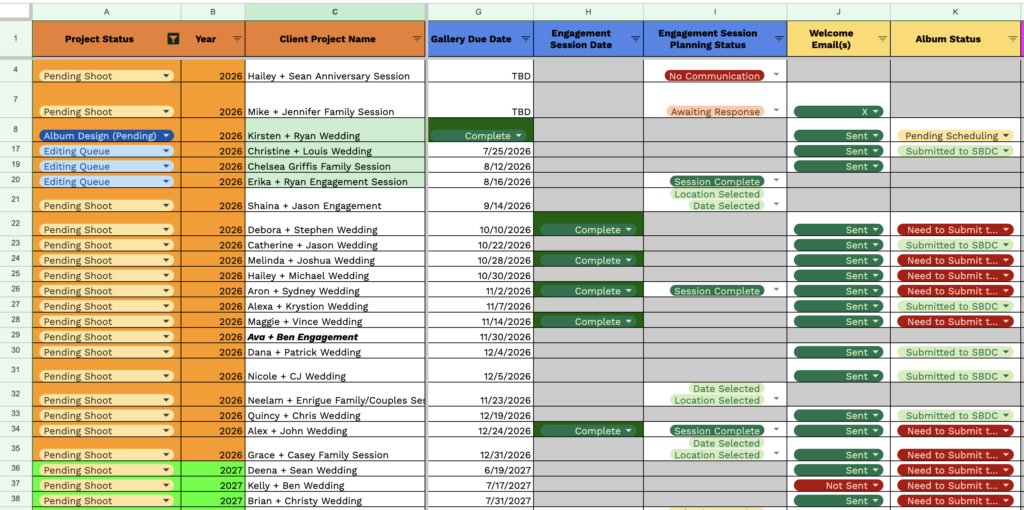
Of course, that approach had limitations, but it gave me time to establish actual demand before adding another expense.
The tipping point usually arrives when the manual process begins creating problems.
Examples include:
- Forgetting to follow up
- Losing track of payments
- Struggling to find client information
- Sending contracts inconsistently
- Rebuilding documents for every client
- Managing several overlapping jobs
- Receiving enough leads that a spreadsheet becomes unreliable
At that point, the cost of remaining disorganized may be higher than the subscription…
HoneyBook Discounts, Trials, and Referral Offers
HoneyBook currently offers a free trial without requiring a credit card.
A trial is the best place to begin because pricing alone cannot tell you whether you will like the system.
During the trial, test a real client journey:
- Create a contact form.
- Build a proposal.
- Add your contract.
- Create an invoice and payment schedule.
- Set up a scheduler.
- Send the complete experience to yourself.
- Review it as though you were the client.
New members who subscribe through my referral link currently receive 30% off.
- 30% off the first year of an annual membership
- 30% off the first two months of a monthly membership
The annual referral discount can make a meaningful difference!
Based on current annual pricing, 30% off would reduce the first-year membership cost approximately as follows:
| Plan | Standard Annual Cost | Approx. First Year With 30% Discount |
| Starter | $348 | $243.60 |
| Essentials | $588 | $411.60 |
| Premium | $1,308 | $915.60 |
These totals do not include applicable taxes or payment-processing fees.
Promotions and pricing can change, so confirm the offer displayed at checkout before subscribing.
Try HoneyBook
HoneyBook is not a small part of my business. After roughly nine years, it remains the main system I use to manage leads, book clients, organize projects, send communication, and collect payments.
As a bit of a summary, for many photographers:
- Starter is enough to build a professional booking process.
- Essentials offers the most useful balance of pricing and automation.
- Premium should be selected because of specific team or scaling needs.
Use the trial to recreate your actual workflow before making the decision!
Affiliate disclosure: I am a HoneyBook educator and referral partner. If you become a paid member through my referral link, I may receive compensation at no additional cost to you. My recommendations are based on my long-term use of HoneyBook within a real photography business.
HoneyBook Pricing FAQ
How much does HoneyBook cost per month?
HoneyBook currently starts at $29 per month with annual billing or $36 per month with monthly billing. Essentials costs $49 annually billed or $59 monthly. Premium costs $109 annually billed or $129 monthly.
Is HoneyBook free?
HoneyBook is not permanently free, but it currently offers a free trial. A paid membership is required after the trial to continue using the platform.
Does HoneyBook charge a transaction fee?
Yes. Payment-processing fees vary by method. Current U.S. rates include 1.5% for ACH, 2.9% plus $0.25 for Visa and Mastercard, and 3.4% plus $0.09 for American Express, Discover, and card-on-file payments.
Does HoneyBook take a percentage of every invoice?
HoneyBook only deducts a processing fee when it handles the payment. An invoice marked as paid by cash or check outside HoneyBook does not carry a HoneyBook transaction fee.
Does HoneyBook charge per client?
No. HoneyBook currently includes unlimited clients and projects on all plans.
Does HoneyBook charge extra for contracts?
No separate per-contract fee applies. Contracts and proposals are included within the membership plans.
Does HoneyBook charge extra for invoices?
There is no separate charge simply to create or send an invoice. Transaction fees apply when HoneyBook processes the client’s payment.
Can clients pay by bank transfer?
Yes. U.S. clients can pay through ACH bank transfer when that payment option is enabled. The current ACH processing fee is lower than the standard card rate.
Can clients pay by credit card?
Yes. HoneyBook accepts major credit and debit cards. Processing fees vary by card type and how the card information is used.
Can photographers pass HoneyBook fees to clients?
This depends on applicable laws, card-network rules, your contract, and how the charge is presented. Confirm the legal and payment-processing requirements that apply to your business before adding a surcharge.
Which HoneyBook plan has automations?
HoneyBook currently includes its full automation functionality beginning with the Essentials plan.
Which HoneyBook plan is best for wedding photographers?
Essentials is likely the best fit for many solo wedding photographers because it adds automations, multiple schedulers, more forms, integrations, and SMS reminders. Premium may be justified for larger teams or multi-brand businesses.
Is HoneyBook Premium worth it?
Premium is worth considering when you need its expanded team, company, form, reporting, or support features. A solo photographer should not assume Premium is necessary simply because the business is established.
Can I change HoneyBook plans later?
HoneyBook currently allows members to upgrade or downgrade their plans. Review current billing terms before changing an annual subscription.
Final Thoughts on HoneyBook Pricing
HoneyBook is not the least expensive way to send a contract or invoice.
You could piece those functions together using spreadsheets, email, free forms, separate signature tools, calendars, and payment platforms. I did some version of that in the earliest stage of my own business!
The reason HoneyBook became worthwhile was not that it handled one task more cheaply than every alternative. It allowed the entire client process to work together seamlessly.
Leads enter the system. Emails are organized. Consultations are scheduled. Proposals are sent. Contracts are signed. Payments are collected. Questionnaires are stored. Projects move through a pipeline. Follow-ups happen. Everything that needs to happen, predominantly happens in the system.
For a photographer regularly booking clients, that level of organization can easily justify the cost.
Ultimately, if pricing is a big factor in your decision, the best plan is the least expensive one that provides the features you will genuinely use.
Remember, you can get started today with a free trial and if you choose to upgrade to a paid plan, you can save 30% by using our referral code.